Memodori: Timeline Journal

Memodori: Timeline Journal Summary
Memodori: Timeline Journal is a free, with in-app purchases iOS app in Lifestyle by 晓晖 王. Released in Mar 2025 (1 year ago). It has 1.00 ratings with a 5.00★ (excellent) average. Based on AppGoblin estimates, it reaches roughly 2.00 monthly active users and generates around $<10K monthly revenue (100% IAP / 0% ads). Store last updated Oct 16, 2026
Memodori: Timeline Journal SDKs Summary
App not yet scanned for SDKs.
5★
Ratings: 1.00
Screenshots



App Description
Memodori — A Journal Along Your Timeline
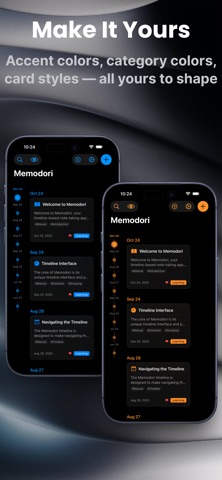
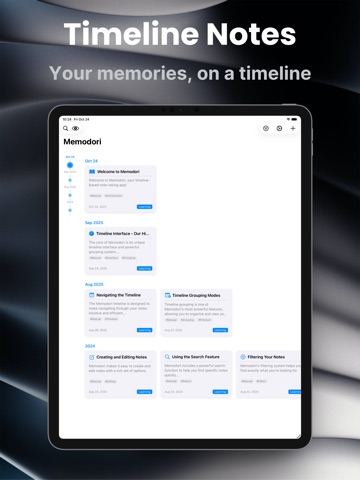
Some things are worth keeping in order. Memodori lays your notes, memories, and the thoughts that pass through along a single timeline you can wander — back through the years, or forward to what's still to come. Like a slip of fine paper, written upon time itself.
# A TIMELINE YOU CAN WANDER
• Browse your notes as dots along time — the bigger the dot, the more a moment mattered
• Group by day, week, month, or year, or let Smart and Adaptive modes shape the view around your note density and the distance in time (Premium can fine-tune the rules)
• Scroll through your notes and the timeline dot follows along, settling into place with a soft haptic tap
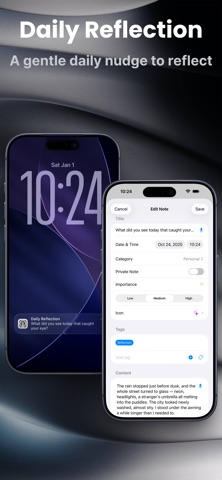
• Write freely with titles, dates, categories, importance, custom icons, and tags
# TEMPLATES FOR WHAT YOU WRITE AGAIN AND AGAIN
• Save a weekly review, your reading notes, or a travel journal as a template — title, text, category, importance, icon, privacy, and tags all ready to go
• Touch and hold + to start a note from a template, or turn any note worth reusing into one
• Set reminders that open the right template on the days and at the time you choose (Premium)
# MEMORIES THAT FIND YOU
• On This Day surfaces what you wrote on this date in years past — a month, six months, a year ago — as a quiet daily card, with an optional reminder at a time you choose
• Daily Reflection brings a gentle once-a-day prompt; tap it and a new note opens with the question already at the top
• Every reflection is tagged on its own, so you can gather them all whenever you'd like to look back
# CAPTURED THE MOMENT IT LANDS
• Quick Capture opens a fresh note in a single tap — from a Home or Lock Screen widget, or from Control Center, which also reaches On This Day, Daily Reflection, and Private Mode (iOS 18)
• Speak your note instead of typing it — voice input turns your words straight into text (Premium)
• Or simply ask Siri, or run a Shortcut, to start a note without opening the app
• A Streak widget keeps a quiet count of the days you've shown up, refreshing on its own at midnight
# FIND ANYTHING, FAST
• Search across everything, and filter by category, tag, importance, date range, or the template a note came from — with a live count of what matches
• Keep it all tidy with custom tags built for easy retrieval
• Personalize each note f