Change Photo Background

Change Photo Background Summary
Change Photo Background is a free, with in-app purchases iOS app in Photo And Video by HYPER IGNITION SYSTEMS. Released in Mar 2025 (1 year ago). It has 4.00 ratings with a 5.00★ (excellent) average. Based on AppGoblin estimates, it reaches roughly 4.00 monthly active users and generates around $<10K monthly revenue (100% IAP / 0% ads). Store last updated Jul 31, 2026
Change Photo Background SDKs Summary
App not yet scanned for SDKs.
5★
Ratings: 4.00
Screenshots


App Description
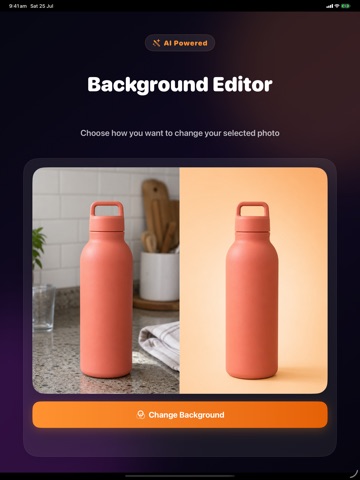
Looking for an easy-to-use photo background changer to instantly modify your pictures? Our advanced editing tool makes it simple to replace, remove, or customize any image backdrop in seconds, giving you professional results right from your device.
Whether you need to create clean product listings for your online store, design eye-catching social media posts, or make stunning profile pictures, this photo background changer is the ultimate solution. You do not need complex editing skills to achieve seamless results.
How to change your background in three simple steps:
1. Select a picture from your library or take a new one.
2. Let our smart cutout technology automatically isolate your subject.
3. Choose a new background from our collection or upload your own custom image.
Key Features:
- Automatic backdrop isolation for precise, clean cutouts.
- High-quality templates suitable for e-commerce, portraits, and social media.
- Advanced adjustment tools to blend your subject naturally into any new environment.
- High-resolution saving options to preserve your image quality.
Download the ultimate photo background changer today and transform your everyday pictures into extraordinary visual content.
Subscription Information:
– App usage is limited and needs a subscription for unlimited access.
– Subscription Length: Weekly and Yearly
– Free Trial: If offered, it will automatically convert to a paid subscription unless canceled.
– Payment: Charged to your Apple ID account at confirmation of purchase.
– Auto-Renewal: Automatically renews unless canceled at least 24 hours before the end of the current period.
– Renewal Charge: Your account will be charged within 24 hours before the end of the current period, based on the selected plan.
– Managing Subscription: Users can manage subscriptions and turn off auto-renewal in Account Settings on the App Store.
– Free Trial Policy: Any unused portion of a free trial will be forfeited upon purchasing a subscription.
Terms of Use: https://www.apple.com/legal/internet-services/itunes/dev/stdeula/
Privacy Policy: https://hyperignitionsystems.com/privacy-policy