Teleprompter: Floating Script

Teleprompter: Floating Script Summary
Teleprompter: Floating Script is a free, with in-app purchases iOS app in Photo And Video by HK SHENGUANGYUAN TECH LIMITED. Released in Mar 2025 (1 year ago). It has 53 ratings with a 2.90★ (poor) average. Based on AppGoblin estimates, it reaches roughly 39 monthly active users and generates around $<10K monthly revenue (100% IAP / 0% ads). Store last updated Jul 30, 2026
SDK intelligence: AppGoblin detected 3 development tools(e.g. Airbnb Engineering) integrated into Teleprompter: Floating Script. View full SDK list →
Teleprompter: Floating Script SDKs Summary
Teleprompter: Floating Script was last scanned for SDKs on 2026-06-24. Below is the overview of third-party companies detected in the app. The full list of SDKs, permissions and unknowns is available here.
 Airbnb Engineering
 Alamofire
 SDWebImage
2.9★
Ratings: 53
Screenshots



App Description
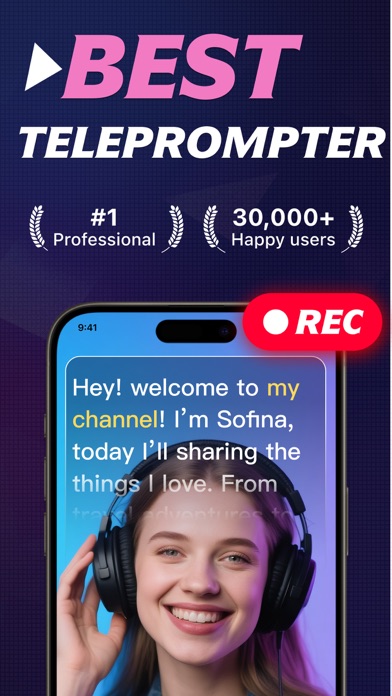
Never miss a line again! Whether you are a creator, professional, or educator, Teleprompter: Floating Script is the streamlined way to record video with a script. Use the Floating Teleprompter Window to record across any platform. Features AI Eye Contact Correction, AI Script Generator, and Auto Captions. A professional Teleprompter for video recording.
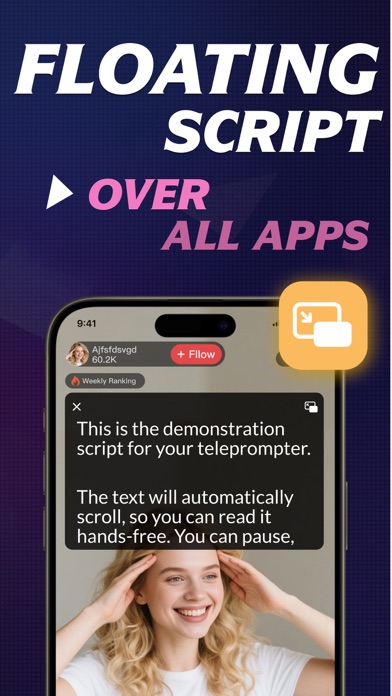
Floating Teleprompter Window To Float Above Any App
Use our float mode to record video seamlessly across any platform. Let your teleprompter Floating Script hover above other apps for a distraction-free experience. Easily adjust Floating Script window size and position while you record.
Maintain Natural Teleprompter Eye Contact
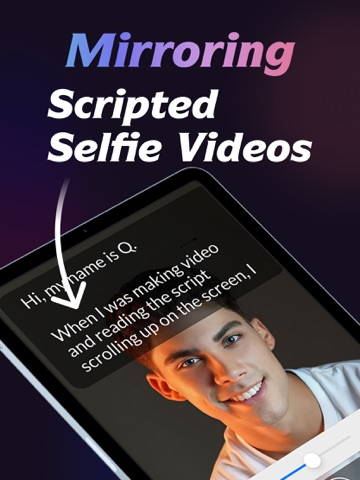
Record HD video via our lens-aligned teleprompter. With built-in eye contact correction, your video looks natural as if reading from memory. Plus, switch cameras to suit any record need, or use our Floating Script window to keep your script visible while you record.
Smart AI Teleprompter Script Tools
- AI Script Generator: Type one sentence to generate a 200+ word AI script based on your scene and tone.
- Instant Script Import: Fast copy-paste, direct writing, or photo-to-text to generate your script instantly.
- Pure Teleprompter Mode: Distraction-free full-screen display. Ideal for teleprompter practice or speeches.
- Flexible Creation: Create scripts anywhere by writing in-app or using smart import tools.
Professional Teleprompter Record Customization
- Script Control: Adjust teleprompter speed 1–50 to match your natural record rhythm.
- Visibility: Customize your script font size 12pt–112pt, color, and mirror mode for any scenario.
- Adjustable Backgrounds: Select background color and transparency 0%–50% to maintain focus.
- Record Prep: Set a 0–10s countdown for a professional record start.
Powerful AI Teleprompter Video Caption Editing
- AI Auto Caption: Auto-recognize speech in 12+ languages with 12 elegant captions templates.
- Manual Caption Control: Edit caption text and timing for perfect video sync.
- Pro Composition: Crop record to professional ratios 16:9, 9:16, 4:3, 1:1 and apply green screen effects.
- Brand Your Video: Add logos, custom backgrounds, and music to your AI video.
- Album Import: Import existing clips to add professional AI captions and branding.
Secure Teleprompter Video Saving And Sharing
- HD Video Export: Ensure high-quality video playbac