MyScript Math: Solve & Plot

MyScript Math: Solve & Plot Summary
MyScript Math: Solve & Plot is a free, with in-app purchases iOS app in Education by MyScript. Released in Sep 2025 (1 year ago). It has 250 ratings with a 4.13★ (good) average. Based on AppGoblin estimates, it reaches roughly 513 monthly active users and generates around $<10K monthly revenue (100% IAP / 0% ads). Store last updated Sep 30, 2026
MyScript Math: Solve & Plot SDKs Summary
App not yet scanned for SDKs.
4.13★
Ratings: 250
Screenshots

App Description
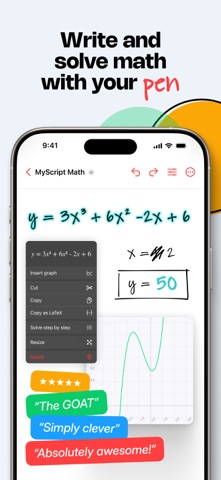
Meet MyScript Math, your handwriting graphing calculator. Write and solve math, plot functions, use variables, edit with a scratch — and get AI-powered, step-by-step guidance when you need it.
Enjoy reliable recognition and focus on your math without second-guessing the results. With its super smart engine, MyScript Math can read any handwritten equation accurately. Perfect for students!
Tackle equations easily — be it with variables, percentages, fractions, or inverse trigonometry, MyScript Math’s solver has you covered with quick, accurate answers.
Start with a 7-day free trial to get the full experience — then subscribe or purchase the app to keep full access.
• Solving — Write an equal sign to solve a calculation. Update your equation, and the result updates automatically.
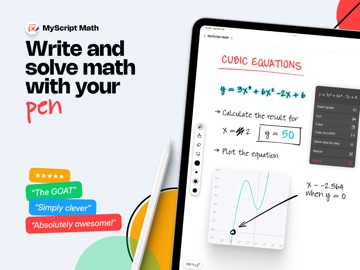
• Plotter — Tap an equation to create an interactive graph that updates instantly as you edit the equation. Add multiple functions to the same graph and immediately see how they interact.
• Variables — Define a variable, use it in different equations, and update it to see all the calculations and graphs adjust automatically.
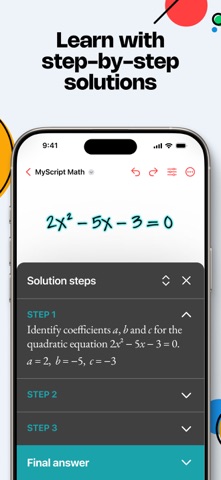
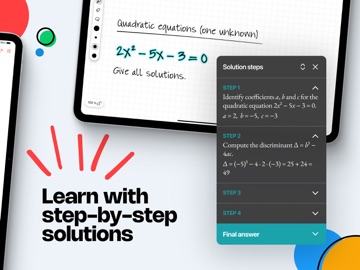
• Solution steps — Get detailed step-by-step explanations to better understand how to solve your problems.
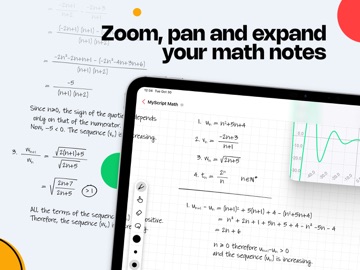
• Expandable workspace — Adjust the zoom level and move around to make editing easier and see everything clearly. Use as much space as you need.
• Scratch to erase — No need to switch tools, just scribble out what needs to be removed and keep going.
• Images — Take a photo or import an image of your math problem, crop it if needed, and follow step-by-step solutions to solve it, one equation at a time.
• Drag & drop — Tap your content to select it or use the lasso tool, then drag and drop it for easy reuse.
• Editing tools — Use colors to emphasize calculations and results, and the lasso to move or copy content.
• Preferences — Choose the result format of your calculation: degree, radian, decimal, fraction, mixed numbers.
• LaTeX support — Write your math equations naturally and copy/paste them as LaTeX in other apps.
• Multiple math notes — Display all your math notes in a single view for easy access.
• Export your notes as images or PDF to share.
• MyScript Notes compatibility — Copy handwritten equations from MyScript Notes to MyScript Math for instant results.
MyScript Math respects your privac