Snippet Keyboard: TypeShelf

Snippet Keyboard: TypeShelf Summary
Snippet Keyboard: TypeShelf is a free, with in-app purchases iOS app in Tools by Nikolay Rodionov. Released in Apr 2025 (1 year ago). It has 33 ratings with a 4.36★ (good) average. Based on AppGoblin estimates, it reaches roughly 90 monthly active users and generates around $<10K monthly revenue (100% IAP / 0% ads). Store last updated Sep 26, 2026
Snippet Keyboard: TypeShelf SDKs Summary
App not yet scanned for SDKs.
4.36★
Ratings: 33
Screenshots



App Description
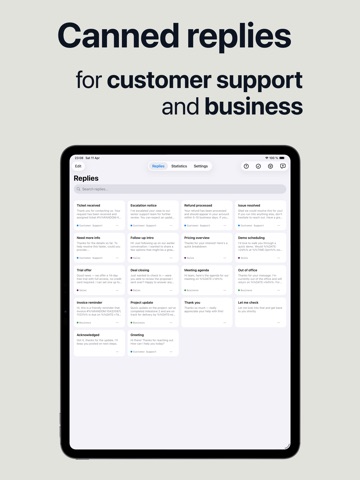
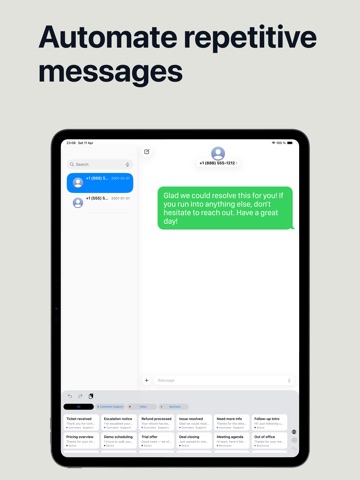
Type less in every app. Save reusable replies, addresses, email answers, and image snippets, then insert them from a custom keyboard wherever you type. Magic Variables can add live dates, times, clipboard content, cursor placement, or a random option automatically.
TYPE ONCE, REUSE ANYWHERE
• Tap a saved reply from the keyboard
• Assign an abbreviation to expand text as you type
• Create text and image snippets
• Organize replies with custom tags and quick filters
• Search, reorder, import, export, and share your collection
MAKE TEMPLATES DYNAMIC
Magic Variables turn a saved template into a ready-to-send message:
• Date, time, and date + time
• Clipboard content
• Cursor position
• Random choices
• Custom date formats and time offsets
SEE THE TIME YOU SAVE
Review usage statistics, find your most-used replies, and run the typing test for a more personal time-saved estimate.
QUICK SETUP
1. Create or choose your replies.
2. Add TypeShelf in Settings > General > Keyboard > Keyboards.
3. Select a reply or type its shortcut in any app.
iOS requires Allow Full Access so the keyboard can read the reply library shared by the main app.
Terms of Use (EULA): https://www.apple.com/legal/internet-services/itunes/dev/stdeula/