E-Sign: Sign & Fill Documents

E-Sign: Sign & Fill Documents Summary
E-Sign: Sign & Fill Documents is a free, with in-app purchases iOS app in Business by Crossing Pub. Released in Mar 2025 (1 year ago). It has 34 ratings with a 4.44★ (good) average. Based on AppGoblin estimates, it reaches roughly 172 monthly active users and generates around $<10K monthly revenue (100% IAP / 0% ads). Store last updated Mar 19, 2025
E-Sign: Sign & Fill Documents SDKs Summary
App not yet scanned for SDKs.
4.44★
Ratings: 34
Screenshots


App Description
Our app is a powerful and intuitive tool designed to make the process of signing important documents easier and more efficient. Whether you need to sign contracts, agreements, invoices, or any other official papers, this app provides a seamless and professional solution. Gone are the days of printing, signing by hand, and scanning documents—now you can do it all digitally in just a few taps.
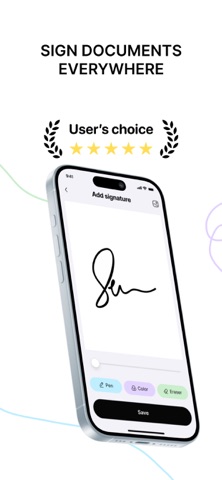
With our app, you can easily upload files from your device’s storage, retrieve them from your photo gallery, or even scan physical documents using your phone’s camera before adding your signature. The app offers multiple ways to sign: you can use the built-in editor to create a clean, professional-looking signature, draw your own for a personal touch, or even upload a pre-made signature for consistency across documents.
Designed with convenience and efficiency in mind, our app ensures that signing documents is a smooth, hassle-free process. Whether you are working remotely, handling legal or business paperwork, or simply managing personal documents, this tool helps you stay organized and complete tasks quickly. It is perfect for professionals, freelancers, business owners, and anyone who regularly deals with digital paperwork.
Key Features:
-Supports multiple document formats – Upload PDFs, Word documents, and other commonly used file types with ease
-Create a personalized digital signature – Draw, type, or upload your signature to match your preferences
-Scan and digitize documents – Turn physical paperwork into digital files for easy signing
-Save and reuse your signature – Store your handwritten or digital signature for quick access
-Apply official seals or stamps – Add professional seals to documents for authenticity
-Easily share signed documents – Send completed files via email, cloud storage, or messaging apps
Beyond its functionality, our app also prioritizes security and privacy. Your sensitive documents and personal information remain secure, as all data is stored locally on your device. This ensures that you have full control over your files without the risk of unauthorized access.
Whether you’re a business professional handling contracts, a freelancer signing agreements, or an individual needing to sign official forms, our app provides a simple yet powerful solution for digital document signing. Experience the convenience of a fully p