AICollage: Photo Collage Maker

AICollage: Photo Collage Maker Summary
AICollage: Photo Collage Maker is a free, with in-app purchases iOS app in Photo And Video by Prutvi. Released in Jun 2025 (1 year ago). It has 22 ratings with a 4.86★ (excellent) average. Based on AppGoblin estimates, it reaches roughly 36 monthly active users and generates around $<10K monthly revenue (100% IAP / 0% ads). Store last updated Jul 28, 2026
Recent activity: 1.00 new ratings this week View trends →
AICollage: Photo Collage Maker SDKs Summary
App not yet scanned for SDKs.
4.86★
Ratings: 22
Screenshots


App Description
We built AICollage for creators who want their Instagram to feel elevated, not just posted. If you care about the vibe of your Instagram, this is where you create refined pic collages, fluid carousel posts, and eye-catching grid layouts.
As your go-to photo collage maker and photo editor, AICollage brings together trending templates, flexible layouts, and a rich set of visual elements, giving you the control to compose images, Live Photos, and videos with clarity and ease. Whether you’re sharing moments or building a personal brand, this is where your visuals begin to reflect a more defined sense of taste.
From editing to sharing, AICollage has got you covered:
Collage & Photo Editing Workflow
- Work with photos, Live Photos, and videos in one place, so everything feels connected.
- Build with carousels, grids, freestyle canvases, and stitches, whatever your layout calls for.
- Layer, blend, cut out, and draw freely, giving your ideas the space to take form.
Templates That Lead the Trend
- Drop original, studio-quality templates straight into your Reels, Stories, and Carousels.
- Never repeat a look with a constantly updated library of trend-setting layouts.
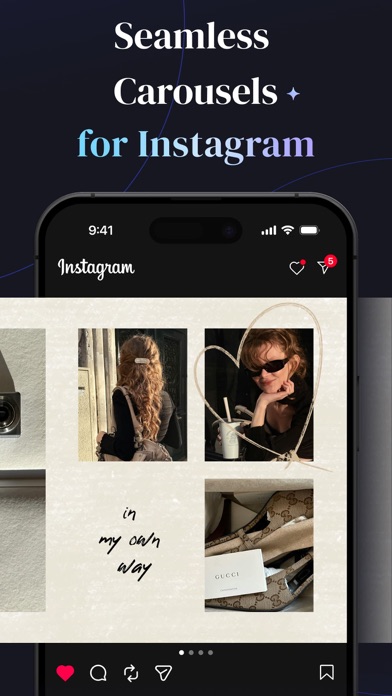
Seamless Swipeable Carousels
- Seamless panoramic layouts that dissolve boundaries between slides, letting each frame connect as part of one story.
The Art of Grid Layouts
- Bring any number of photos together, setting a clean, effortless rhythm for your feed.
- Arrange your grids your own way. Even the simplest, minimalist layout can tell a distinct story.
Freestyle Canvas Collage
- Adjust the layout, zoom in and out, fine-tune every detail with full flexibility. Shape a canvas that fits your vision down to the exact pixel.
Keep Scrolling With Long Stitches
- Connect photos end to end for a long vertical scroll, crafted for a pure down-scroll experience.
Powerful Photo Editor
- Apply filters, effects, and adjustments like brightness and contrast in one place, so your visuals stay sharp without jumping between apps.
- Add text for quick, expressive edits, from subtle captions to playful meme-style overlays, without breaking the look of your composition.
- Customize logos and watermarks as part of your layout, keeping everything polished, flexible, and ready to share in just one pass.
Tons of Free Stickers and Assets
- Style your collage with stickers, frames, backgrounds, and more, with new e