Spatial Companion

Spatial Companion Summary
Spatial Companion is a free, with in-app purchases iOS app in Business by Dilium. Released in Feb 2026 (7 months ago). It has 1.00 ratings with a 5.00★ (excellent) average. Based on AppGoblin estimates, it reaches roughly 11 monthly active users and generates around $<10K monthly revenue (100% IAP / 0% ads). Store last updated Sep 11, 2026
Spatial Companion SDKs Summary
App not yet scanned for SDKs.
5★
Ratings: 1.00
Screenshots

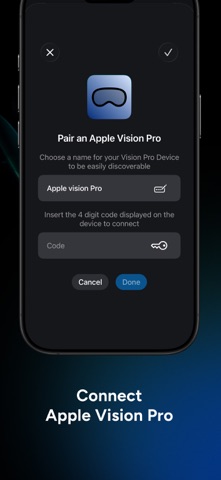
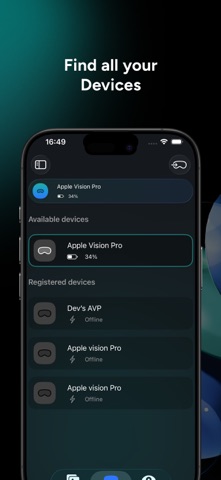

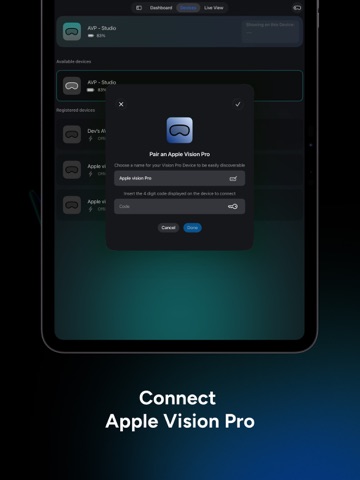
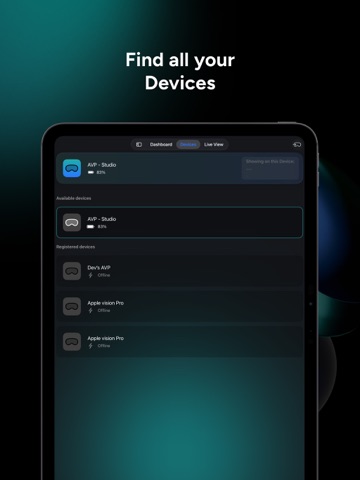
App Description
Control and manage Spatial Computing experiences
Spatial Companion for iOS is the control center for managing and guiding Spatial Computing experiences on Apple Vision Pro. Designed for exhibitors, brands, school and organizations, it allows you to upload content, orchestrate experiences, and remotely guide users through immersive environments in real time.
Used alongside the Spatial Companion app on Apple Vision Pro, the iOS app or compatible for iPad or Mac enables seamless control, content management, and interaction, without interrupting the user’s immersion.
---
Manage content with ease
Upload, organize, and prepare your content directly from your iPhone, Mac or iPad including:
- 3D models;
- Media Experiences (2D, 3D, Spatial, 180, 360, Wide FoV, Apple Immersive Video >=90fps >=8k);
- Immersive scenes inside our portal;
- Reality Composer Scene;
- PDFs, websites, and digital materials.
Content is instantly available for presentation inside Spatial Computing experiences on Apple Vision Pro.
---
Remote control for Apple Vision Pro
Guide users through experiences in real time by remotely controlling what they see and how they interact. Choose whether users can actively interact, drawing or manipulating 3D objects, or remain completely passive while you lead the experience.
This makes Spatial Companion ideal for live demos, guided tours, and professional presentations.
---
Built for events and professional use
Spatial Companion is optimized for:
- Events and trade shows
- Retail and showrooms
- Cultural and educational spaces
- Corporate presentations and training
It simplifies setup, reduces friction, and ensures consistent experiences across sessions.
---
Cross-device interoperability
Use the same account across iPhone, iPad, Mac, and Apple Vision Pro to manage experiences seamlessly. Start preparing content on one device and control live sessions from another.
---
Feedback and insights
Collect feedback from users after experiences to better understand engagement and improve future presentations.
---
In-App Purchases
Optional in-app purchases unlock a PRO version, enabling the upload and management of additional content and expanded control capabilities.
---
Enterprise Plan
For advanced needs, an Enterprise plan is available.
It enables extended features such as advanced sharing, and the ability to control multiple up tp 20 Apple V