Vividay:To do,Reminder,Planner

Vividay:To do,Reminder,Planner Summary
Vividay:To do,Reminder,Planner is a free, with in-app purchases iOS app in Productivity by 晓晖 王. Released in Apr 2025 (1 year ago). It has 2.00 ratings with a 5.00★ (excellent) average. Based on AppGoblin estimates, it reaches roughly 26 monthly active users and generates around $<10K monthly revenue (100% IAP / 0% ads). Store last updated Jul 16, 2026
Vividay:To do,Reminder,Planner SDKs Summary
App not yet scanned for SDKs.
5★
Ratings: 2.00
Screenshots



App Description
Make Every Day a Vividay
Vividay transforms daily task management into a colorful, intuitive experience that keeps you organized and focused on what matters most.
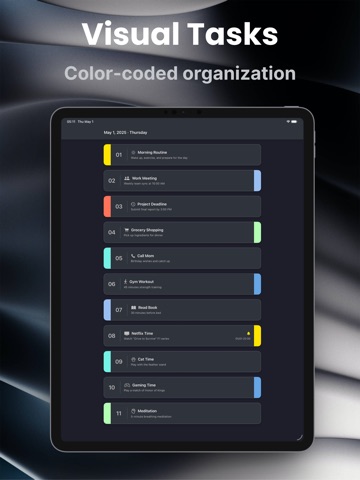
# Vibrant Visual Organization
Bring life to your tasks with colorful tags that make organization effortless. A quick glance is all you need to understand your priorities and categories.
# Distraction-Free Focus
Our content-first design hides controls until you need them, creating a calm, focused environment for your daily planning and task completion.
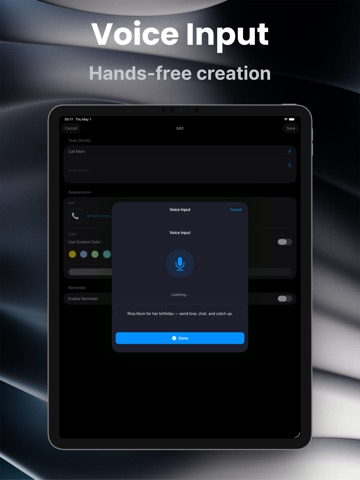
# Voice-Powered Task Management
• Voice Input: Speak your tasks instead of typing with real-time transcription
• Siri Integration: Manage tasks with voice commands like "Hey Siri, add a task in Vividay"
• Shortcuts Automation: Create custom workflows in the Shortcuts app
# Instant Batch Import (Pro Feature)
• Smart Text Parsing: Copy any list from Notes, messages, or emails—instantly transforms into organized tasks
• Quick Editing: Review and edit task text before importing
• Custom Icon Sets: Batch add or remove icons for imported tasks
• Flexible Tag Positioning: Choose from always left, always right, or alternating positions
# Smart Filters (Pro Feature)
• Date Range Filtering: View tasks by today, this week, this month, or custom date range
• Status Filtering: Show all tasks, incomplete only, or completed only
• Reminder Filtering: Filter tasks with or without reminders
# Instant Search
Find any task across all your history in seconds. Tap the search icon, type a keyword, and results appear grouped by date with matching text highlighted. Use search on its own or combine it with filters to zero in on exactly what you need.
# Powerful Edit Mode
• Drag & Reorder: Rearrange tasks by priority with automatic renumbering for perfect 1-2-3 order
• Batch Deletion: Select and delete multiple tasks at once
• Batch Color Editing (Pro): Instantly unify visual style by applying colors to multiple tasks at once—choose from 6 vibrant presets or create your own custom color
• Batch Position Editing (Pro): Perfect your layout with one tap—align tags to left or right, or create rhythmic alternating patterns across selected tasks
• Always Organized: Tasks stay visually clean and numbered sequentially
# Smart Daily Planning
• Create tasks with customizable icons and color tags
• Mark completion with a simple swipe
• S