Wedding Invitation Video Maker

Wedding Invitation Video Maker Summary
Wedding Invitation Video Maker is a free, with in-app purchases iOS app in Photo And Video by Vaishnavi Shah. Released in Apr 2025 (1 year ago). It has 2.00 ratings with a 5.00★ (excellent) average. Based on AppGoblin estimates, it reaches roughly 2.00 monthly active users and generates around $<10K monthly revenue (100% IAP / 0% ads). Store last updated May 1, 2026
Wedding Invitation Video Maker SDKs Summary
App not yet scanned for SDKs.
5★
Ratings: 2.00
Screenshots
App Description
# Top Free Video Invitation Maker App #
Modern Video Invitations – Elegant, Simple & Stunning
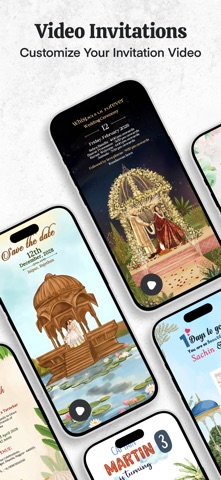
Skip traditional invites and go digital. With Wedding Invitation Video Maker, you can easily create stunning animated video invitations and track guest responses all in one place. Whether you're planning a wedding, birthday, baby shower, or any special event, this app helps you create a personalized experience your guests won’t forget.
Why Choose Wedding Invitation Video Maker?
Professionally Designed Templates
Explore a stunning collection of animated templates tailored for every occasion—modern, traditional, elegant, and everything in between.
Easy Personalization
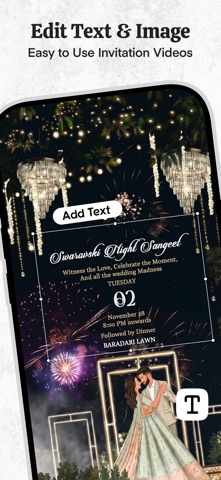
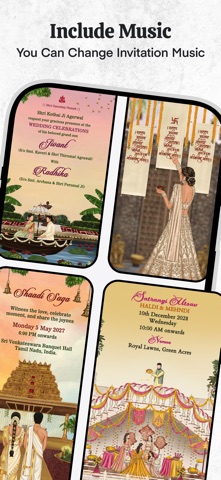
Customize every detail to make it your own! Edit text, upload photos, and add your favorite music to match your event’s theme and mood.
Seamless Sharing
Send your video invites directly via WhatsApp, Messages, Email, or share on your favorite social media platforms.
Create in Minutes
Our user-friendly interface helps you design, preview, and send a complete invitation video without any hassle.
Perfect for Any Occasion
* Wedding
* BabyAnnouncement
* Anniversary
* Birthday Parties
* Baby Showers
* Save The Date
How It Works
1. Choose a video invitation template
2. Customize the text, images, and background music
3. Preview your invitation video
4. Export and share your video instantly