IconForge - AI App Icon Maker

IconForge - AI App Icon Maker Summary
IconForge - AI App Icon Maker is a free, with in-app purchases iOS app in Art And Design by Mahanti Corporation. Released in May 2025 (1 year ago). It has 1.00 ratings with a 5.00★ (excellent) average. Based on AppGoblin estimates, it reaches roughly 6.00 monthly active users and generates around $<10K monthly revenue (100% IAP / 0% ads). Store last updated Oct 7, 2026
IconForge - AI App Icon Maker SDKs Summary
App not yet scanned for SDKs.
5★
Ratings: 1.00
Screenshots


App Description
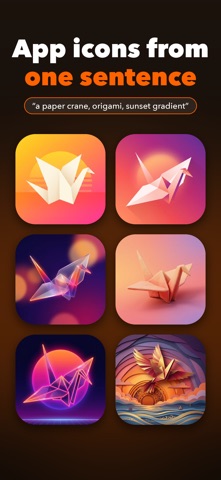
Describe your app in one sentence, pick a style, and get six app icon concepts. Choose one, render it in HD at 1024 × 1024, and see it at real size on every Apple device.
Type what the app does and what the icon should show, for example "a paper crane, for a journaling app". Before anything is drawn, your sentence is expanded into a full design brief: subject, composition, colour and what to leave out. Six concepts are then drawn from that brief at once, so you get six different takes rather than six near-copies.
Seven styles: Glassmorphism, Flat, 3D Clay, Gradient, Minimal, Neon and Skeuomorphic.
Every concept is full-bleed square artwork with no text in it. iOS and macOS apply their own rounded mask, and one clear subject holds up when the icon shrinks.
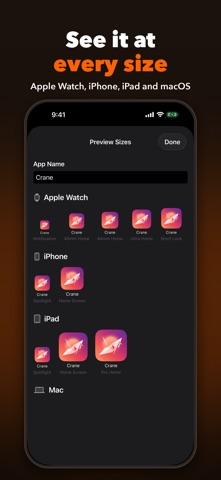
Preview Sizes puts your icon, with your app name under it, at the sizes people will actually see: a 24-point Apple Watch notification, iPhone Spotlight and Home Screen, iPad and iPad Pro, the Mac from 16 × 16 up to 512 × 512, and the 1024 App Store tile. Most icon problems only show up small, and this is where you catch them before you ship.
When it looks right, save the 1024 × 1024 image to Photos or send it anywhere through the share sheet, then drop it into your Xcode asset catalog.
You can start a new icon from Control Center, or ask Siri to "make an icon with IconForge". It runs on iPhone, iPad and Mac.