Free PDF Editor, Converter App

Free PDF Editor, Converter App Summary
Free PDF Editor, Converter App is a free, ad-supported, with in-app purchases iOS app in Productivity by AMPLIFY VENTURES. Released in Jun 2025 (1 year ago). It has 234 ratings with a 4.27★ (good) average. Based on AppGoblin estimates, it reaches roughly 840 monthly active users and generates around $<10K monthly revenue (39% IAP / 61% ads). Store last updated Oct 1, 2026
Recent activity: 1.00 new ratings this week View trends →
Free PDF Editor, Converter App SDKs Summary
App not yet scanned for SDKs.
4.27★
Ratings: 234
Screenshots

App Description
Free PDF Editor is your all-in-one PDF editor solution to edit, sign, fill, annotate, and share PDF documents effortlessly, right from your iPhone. With our advanced tools, you can fix typos, add text and images, highlight key content, insert digital signatures, and fill forms in just a few taps.
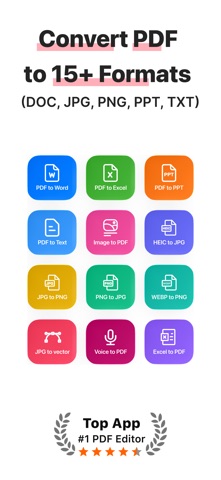
Easily convert scanned images and documents to PDFs, and merge, split, format layouts as needed or explore our new, AI voice transcription, voice to PDF, feature. Import existing recordings to generate high-quality PDF documents instantly.
Start now with Free PDF Editor, and discover the endless possibilities of what you can do with your documents!
Whether you need a powerful file editor for contracts, a secure document filler for tax e-filing, or a complete toolkit for school coursework, get everything you need to keep your tasks moving, wherever you go.
1. Start With Our Advanced PDF Editing Tools
- Edit text, add paragraphs, and modify layouts
- Add, delete, or rotate images within your PDF easily
- Compress PDFs without losing quality
2. Merge, Split, & Reorder Files
- Merge multiple PDFs into one file
- Split large files into smaller ones
- Reorder, organise, or delete pages to streamline your PDFs
3. Secure Your PDFs
- Lock PDFs with passwords and permissions
- Unlock PDFs to remove restrictions when needed
- Add custom watermarks for identity and safety
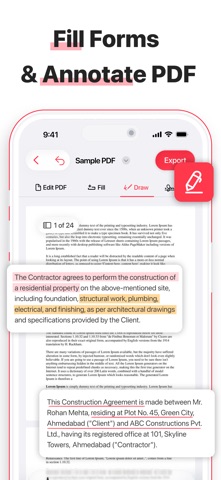
4. Fill PDF Forms Easily
- Fill out forms directly on your device. Type, check boxes, sign, & save filled forms with ease
- Complete any form filler task in seconds, without printing a single page
5. Request Instant E-Signatures
- Create & add digital signatures in seconds
- Save frequently used signatures for quicker signing
- Request Signature on-the-go. Send documents to others & collect their signatures remotely
- Close deals & sign approvals anytime, anywhere
6. Zoom, Search, & Annotate Content
- Use it as an advanced PDF reader for easy viewing
- Highlight & underline important content
- Find specific details with built-in search tools
- Zoom-in for a high-quality viewing experience
7. Scan or Import to PDF
- Scan paper documents, receipts, or notes
- Import files from your device or cloud storage
- Convert instantly to high-quality PDFs
8. OCR Text Extraction
- Turn scanned PDFs into fully searchable, editable text
- Extract content from scanned files and images with built-in OCR technology
- T