Hello, Mario!

Hello, Mario! Summary
Hello, Mario! is a free iOS app in Action by Nintendo Co., Ltd.. Released in Feb 2026 (6 months ago). It has 295 ratings with a 4.63★ (excellent) average. Based on AppGoblin estimates, it reaches roughly 1.5K monthly active users . Store last updated Apr 8, 2026
Recent activity: 1.00 new ratings this week View trends →
SDK intelligence: AppGoblin detected 1 development tools(e.g. Unity) integrated into Hello, Mario!. View full SDK list →
Hello, Mario! SDKs Summary
Hello, Mario! was last scanned for SDKs on 2026-08-01. Below is the overview of third-party companies detected in the app. The full list of SDKs, permissions and unknowns is available here.
 Unity
Unity4.63★
Ratings: 295
Screenshots

App Description
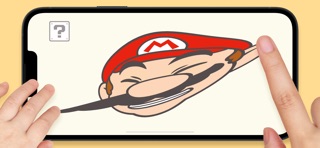
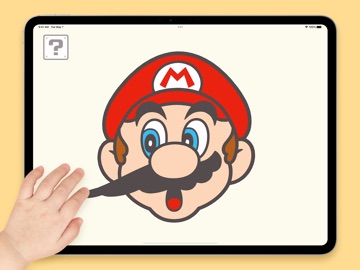
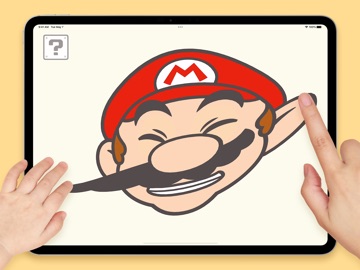
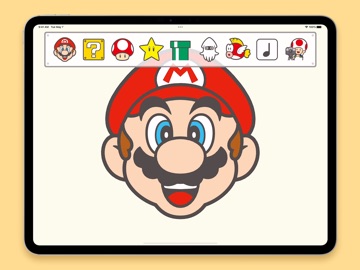
"Hello, Mario!" Are you ready to play? With this free application from the little-kid-friendly My Mario brand, you and your kiddo can play with Mario's face and delight in all his various expressions.
■Make Silly Faces
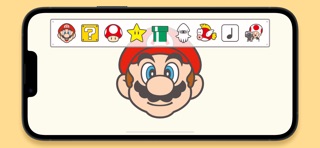
Team up with your kiddo to see how silly Mario can get when you pull and stretch his face or take turns poking and spinning him around. Tap on the ? Block in the top-left corner of the screen and select an icon to make items—like a Super Mushroom, a Super Star, or pipes—and even enemies appear alongside Mario.
■Peekaboo!
Invite Mario to play peekaboo by tapping on the leftmost icon in the ? Block menu. Boo may even make a guest appearance!
■Built-In Breaks
Good night, Mario! Mario gets tuckered out after playing for a while and will fall fast asleep. At that point no amount of poking can wake him up! This is a great opportunity to take a break and help parents limit their child's screen time. If you want to keep the fun going, you can turn off this feature by tapping the gear icon in the top-right corner of the screen when the application starts.
■Play Offline
There's no need to be connected to the internet to play this application. After you download it, you're good to go!
Operation is not guaranteed for all devices that meet the operating conditions. It may not work properly depending on the device's performance and specifications, device-specific application usage conditions, etc.
Please be sure to read the Health and Safety information provided in the application settings before you start playing. Settings can be accessed by tapping the gear icon in the top-right corner of the screen when the application starts to access the menu.
©Nintendo