Photo Cleanup, Delete: Reclean

Photo Cleanup, Delete: Reclean Summary
Photo Cleanup, Delete: Reclean is a free iOS app in Tools by Labi, LLC. Released in Jun 2025 (1 year ago). It has 1.3K ratings with a 4.87★ (excellent) average. Based on AppGoblin estimates, it reaches roughly 5.8K monthly active users . Store last updated Aug 24, 2026
Recent activity: 18 new ratings this week View trends →
SDK intelligence: AppGoblin detected 2 development tools(e.g. Google), 2 analytics: product,and 1 ad networks integrated into Photo Cleanup, Delete: Reclean. View full SDK list →
Photo Cleanup, Delete: Reclean SDKs Summary
Photo Cleanup, Delete: Reclean was last scanned for SDKs on 2026-07-21. Below is the overview of third-party companies detected in the app. The full list of SDKs, permissions and unknowns is available here.
 Google
 nanopb
 Firebase
 Mixpanel
4.87★
Ratings: 1.3K
Screenshots
App Description
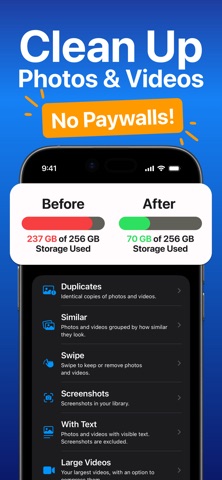
Reclean is a free photo cleaner for iPhone that helps you clean up photos and videos in your Photos library. Find duplicate photos, review similar photos and videos, clean up screenshots, compress large videos, and delete the items you no longer need.
■ FEATURES
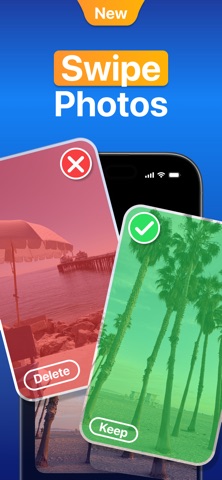
- Swipe through your camera roll: Swipe right to keep or left to mark photos and videos for removal, then review your removal list before deleting.
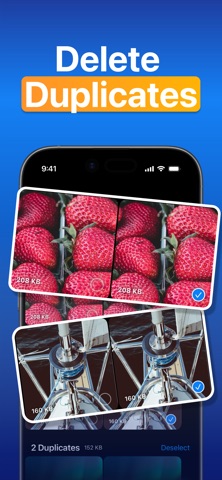
- Find duplicate photos and videos: Reclean groups identical copies and helps you review extra copies before deleting them.
- Review similar photos and videos: See visually similar items together, adjust the similarity level, and sort by newest, oldest, largest, or smallest.
- Clean up screenshots and text-heavy media: Find screenshots, receipts, notes, documents, slides, and other photos or videos with visible text.
- Manage large videos: Sort videos by size, delete large files, or compress one selected video and save a smaller copy back to Photos.
- Check storage while you clean: See item counts, file sizes, and your iPhone's available storage as you organize photos.
■ HOW IT WORKS
1. Allow Reclean to access Photos.
2. Choose a cleanup mode: Duplicates, Similar, Swipe, Screenshots, With Text, Large Videos, or All Photos & Videos.
3. Select what you want to delete. Deleted items move to Photos > Recently Deleted, where you can recover them or empty the album to free storage.
■ PRIVACY
- Reclean does not upload or share your photos. Scanning and categorization happen on your iPhone, so your photos stay on device.
Reclean helps you clean up your Photos library, free up storage space, and review everything clearly before anything is deleted — for free.
Terms of Use:
- https://photocleaner.notion.site/terms-of-use