AI Video Generator - AI Studio

AI Video Generator - AI Studio Summary
AI Video Generator - AI Studio is a free, with in-app purchases iOS app in Art And Design by Kemal Cagin Sertkaya. Released in Jun 2025 (1 year ago). It has 15K ratings with a 4.70★ (excellent) average. Based on AppGoblin estimates, it reaches roughly 67K monthly active users and generates around $<10K monthly revenue (100% IAP / 0% ads). Store last updated Aug 9, 2026
Recent activity: 102 new ratings this week View trends →
SDK intelligence: AppGoblin detected 3 development tools(e.g. Airbnb Engineering), 1 analytics: product, 1 analytics: attribution, 1 business tools,and 1 ad networks integrated into AI Video Generator - AI Studio. View full SDK list →
AI Video Generator - AI Studio SDKs Summary
AI Video Generator - AI Studio was last scanned for SDKs on 2026-04-22. Below is the overview of third-party companies detected in the app. The full list of SDKs, permissions and unknowns is available here.
AppGoblin saw AI Video Generator - AI Studio uses 1 Analytics: Product
 Firebase
AppGoblin saw AI Video Generator - AI Studio uses 3 Development Tools
 Airbnb Engineering
 Google
 nanopb
AppGoblin saw AI Video Generator - AI Studio uses 1 Analytics: Attribution
 AppStack
AppGoblin saw AI Video Generator - AI Studio uses 1 Business Tools
 Adapty
AppGoblin saw AI Video Generator - AI Studio uses 1 Ad Networks
4.7★
Ratings: 15K
Screenshots



App Description
AI Video Generator - AI Studio
Create AI Videos, Clips and Reels from Text or Images
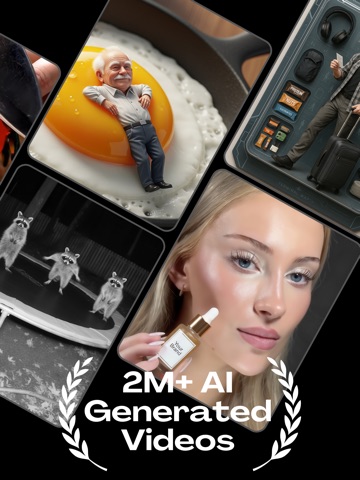
Turn any idea into a cinematic AI video in seconds. No editing skills required. AI Studio is your all-in-one AI video generator, AI video maker, AI video editor, AI photo generator, AI image generator, AI picture generator, and AI animation studio for UGC ads, AI ads, reels, shorts, product promos, dance videos, and social storytelling.
Powered by Industry Models
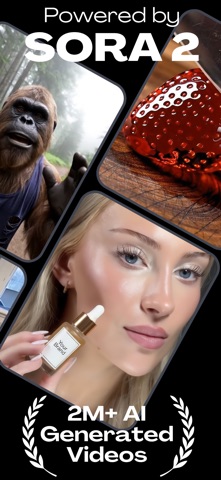
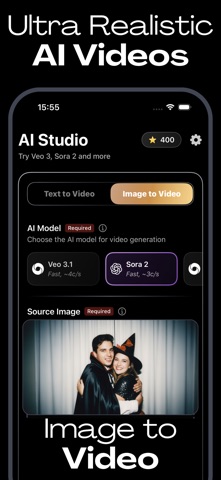
Built on Sora 2, Veo 3.1, Kling v3, Seedance 2.0, Happyhorse 1.0, Wan 2.7, Nano Banana, and Grok Imagine via official APIs. Pick Sora 2 for cinematic AI video, Veo 3 for realism, or Kling for motion, and switch models anytime.
150+ Ready-to-Use Templates and Effects
Browse curated templates across 15 categories from a single photo:
- Dance and Movement: AI dance video generator, baby dance, AI twerk effects, dancing AI clips, viral choreography, AI dance generator reels.
- Glam and Luxury: red carpet exits, birthday glam, paparazzi moments, polaroid portraits, fashion photoshoots.
- Editorial and Fashion: studio portraits, magazine covers, AI outfit maker looks, professional AI headshots.
- Dark and Cinematic: moody neon, rain-soaked streets, film noir.
- Y2K and Retro: 90s aesthetics, retro edits, frutiger aero looks.
- Street and Urban: parking lot swagger, hoodie street style, UGC creator content.
- Fun Effects: AI prank videos, AI baby generator transformations, cartoon photo edits, hug-my-younger-self moments, funny dance clips.
- Cute and Family: family portraits, kids and pet moments, baby photo to video animator.
- Romance and Couples: dreamy couple scenes, AI selfie pairs.
- Adventure and Travel: outdoor landscapes, travel reels, scenic trailers.
- Portraits and Art: AI art generator looks, painted effects, artistic AI portraits.
- Night Vibes: club lighting, neon glow, after-dark, AI ASMR moods.
- Spring and Flowers: floral and garden settings.
- Pose and Action: pose AI references, action shots, character poses.
- Music and Mood: AI music video edits, lyric clips, dance challenges.
What You Can Make
- Text-to-Video: Describe a scene, get an animated AI clip with our AI clip maker.
- Image-to-Video: Upload a still photo and generate realistic footage with our photo to video animator.
- Reference-to-Video: Keep the same face, product, or outfit across scenes with multi-image references.
- Text-to-Image