Zonos App

Zonos App Summary
Zonos App is a free iOS app in Business by Zonos. Released in Jun 2025 (1 year ago). It has 404 ratings with a 1.45★ (poor) average. Based on AppGoblin estimates, it reaches roughly 2.7K monthly active users . Store last updated Aug 19, 2026
Recent activity: 1.00 new ratings this week View trends →
SDK intelligence: AppGoblin detected 6 development tools(e.g. Rive),and 1 business tools integrated into Zonos App. View full SDK list →
Zonos App SDKs Summary
Zonos App was last scanned for SDKs on 2026-07-23. Below is the overview of third-party companies detected in the app. The full list of SDKs, permissions and unknowns is available here.
AppGoblin saw Zonos App uses 6 Development Tools
 Rive
Rive Expo
Expo SDWebImage
 React Native
AppGoblin saw Zonos App uses 1 Business Tools
 Stripe
1.45★
Ratings: 404
Screenshots


App Description
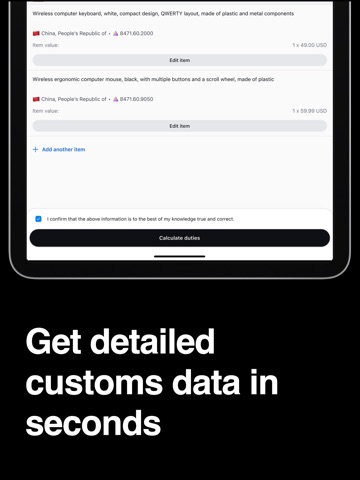
The Zonos app (formerly Zonos Prepay) allows you to prepay duties on international postal shipments. Snap a photo, AI auto-fills customs details (or enter your own), check for import compliance, pay in your currency, and get a QR code/Declaration ID for U.S. shipping.
Easily calculate and prepay U.S. duties with the Zonos app. Just snap a picture of the items you’re shipping, and our AI fills in the customs details for you, including calculating duty cost. Review/edit the information, pay instantly in your own currency, and ship with confidence. Prefer to enter your item information manually? That’s supported too (no photo required).
Zonos app guide: https://zonos.com/docs/postal/tools-for-shippers/zonos-prepay).
Why Zonos:
- Free account (no subscription costs).
- Prepay duties when required to continue shipping postal to the U.S.
- Save time with auto-filled customs declarations based on a quick photo (or manually enter the item information yourself, if preferred)
- Get accurate, guaranteed duty and tax totals with HTS codes. Neither you nor your recipient will have to pay additional duties, even if customs re-assess your shipment.
- Pay as you go: Pay a clearance/processing fee per shipment, along with the duty cost
- Get a QR code & Declaration ID for smooth shipping.
- 27 languages, local currencies and payment methods.
How It Works:
1. Create a free account.
2. Select the post you are shipping with.
3. Click “Add items manually” to enter your item information yourself, or click “Take a picture” to take a photo and have the app auto-populate your item information. You can include all items in one photo, or take multiple photos. Note: Only include items that are shipping within the same box. If you are shipping multiple boxes, only enter and pay for one box at a time, so you get a Declaration ID for each box.
4. Review/edit the item information, then click “Calculate duties” to get the duty costs and associated processing/clearance fees for your shipment.
5. Pay in your own currency. Payment covers both duties and the clearance/processing fee.
6. Present your QR code/Declaration ID at drop-off to confirm duties are prepaid.
If you have questions, please contact our support team at support@zonos.com.
Who It’s For:
Individuals and small businesses shipping to the United States, plus postal operators needing a compliant prepayment so