Electronic & Signature Creator

Electronic & Signature Creator Summary
Electronic & Signature Creator is a free, ad-supported, with in-app purchases iOS app in Business by Burak Gomec. Released in Jun 2025 (1 year ago). It has 21 ratings with a 4.57★ (excellent) average. Based on AppGoblin estimates, it reaches roughly 99 monthly active users and generates around $<10K monthly revenue (27% IAP / 73% ads). Store last updated Dec 14, 2025
Electronic & Signature Creator SDKs Summary
App not yet scanned for SDKs.
4.57★
Ratings: 21
Screenshots

App Description
Create Your Signature with Ease
Looking for a custom signature maker and electronic signature app that’s simple and practical? Our app helps you create your signature effortlessly. Whether you need a stylish signature for official documents or a custom design for personal use, this app is built to make the process easy for everyone.
With our signature maker and electronic signature tools, you can draw, design, and generate your signature in seconds. Say goodbye to complicated software and enjoy a clean, user-friendly experience.
Key Features
• Quick and easy signature creation
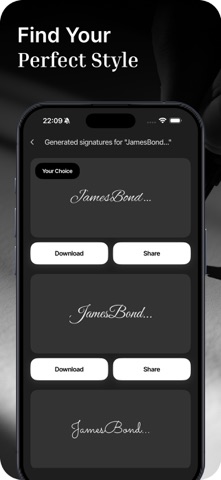
• Multiple signature styles and formats
• User-friendly tools for designing signatures
• Supports electronic signatures for documents
• Custom signature generator with advanced options
• All-in-one solution for daily signature needs
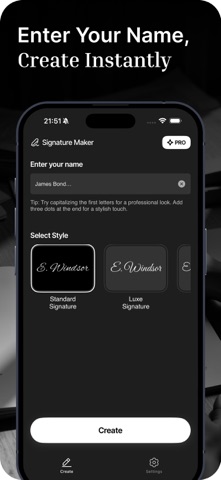
• Text-based signature creation for a professional look
• Designed to meet professional autograph needs
• Simple and secure digital signing
• Free electronic signature option
• Auto-signature feature for convenience
• Stylish signature stamps for documents and images
• Create your own custom signature with your name
• Personalized signature stamp builder
• Key signature features for all document types
• Picture signature support for images and social media
• Save and share your signature within seconds
• Add your electronic signature to contracts and forms
• Fast signing tools for professional use
Why Choose Our App?
This app is perfect for anyone who needs a signature quickly and easily. No design skills or technical knowledge required. Whether you prefer a handwritten or digital signature, this app makes it possible.
Perfect For:
• Signing official documents
• Creating stylish social media signatures
• Making personalized signature stamps
• Designing professional digital signatures
• Quickly signing contracts and forms
How It Works
1. Open the app
2. Choose between handwriting or text options
3. Design your signature using the available tools
4. Save your signature as an image or stamp
5. Apply your signature to documents or pictures
You can create and save multiple signature styles for different uses. The app supports both personal and professional needs.
Professional Quality in Every Signature
Enjoy complete control over the look and feel