Approval Studio

Approval Studio Summary
Approval Studio is a free iOS app in Productivity by HiTech Service. Released in Jul 2025 (1 year ago). Store last updated May 14, 2026
Approval Studio SDKs Summary
App not yet scanned for SDKs.
0★
Ratings: 0
Screenshots



App Description
Approval Studio: Professional Design Proofing & Collaboration
What Approval Studio Does
Approval Studio is online proofing software for real-time design review and artwork approval. Instead of managing feedback through scattered emails, teams use one organized platform to review, annotate, and approve creative projects efficiently.
Upload designs, invite stakeholders, collect visual feedback, and manage approval workflows in a single workspace. Every comment, revision, and decision is tracked for complete project visibility.
Core Features
Visual Annotation System
Pin feedback directly onto design elements using annotation tools including rectangles, circles, arrows, and freeform drawing. Reviewers highlight specific areas and leave detailed comments for clear communication between teams and clients.
Project Organization
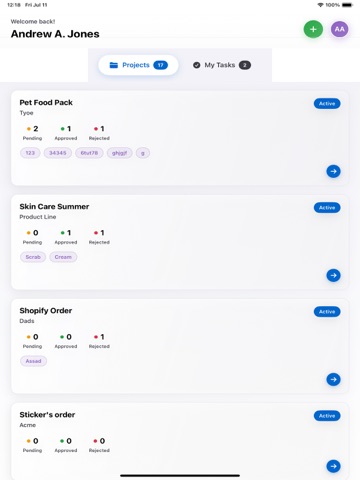
Organize projects using customizable kanban boards with stages like "Initiated," "Under Review," "Client Feedback," and "Approved." Track project progress visually and ensure nothing slips through the cracks.
Simple Collaboration
Invite external users and clients to review designs with simple links - no complicated registrations required. Team members collaborate using discussion tabs and can tag specific users in comments.
Formal Documentation
Generate formal PDF proof reports capturing all client feedback and project decisions. Track project actions automatically and maintain complete records of the review process.
Multi-Format Support
Review various creative file types including images, documents, and designs with accurate rendering for precise feedback.
Version Comparison
Compare different design versions to track changes and ensure feedback implementation between iterations.
Key Integrations
Adobe Creative Cloud
Upload files and check projects directly in Photoshop, Illustrator, and InDesign using the official Adobe Creative Cloud Extension.
Zapier Connectivity
Connect to 5,000+ apps from Zapier catalogue and build custom workflow templates for automated data exchange with business tools.
Shopify Integration
Designed for print-on-demand stores. Create projects for order numbers, upload designs, share with customers, and get feedback on mockups instantly.
API Access
Integrate with custom applications and existing business systems through comprehensive API access.
Slack Integration
Receive timely updates and notifications