AR Draw : Sketch & Art Maker
ASO Keyword Dashboard
Tracking 0 keywords for AR Draw : Sketch & Art Maker in Apple App Store
Developer: Brijesh Bodariya Category: art_and_design
AR Draw : Sketch & Art Maker doesn't have tracked keywords yet.
No keywords tracked yet
We could not generate keyword insights for this app. Add more metadata or refresh the crawl to populate ASO keywords.
App Description
Unleash Your Creativity with AR Draw & Sketch: Art Maker!
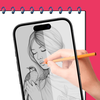
Turn your iPhone or iPad into a powerful augmented reality sketchbook. Whether you're a beginner learning to draw or a professional artist looking to experiment, this app makes drawing and tracing easy and fun through your camera.
Key Features:
1. Camera Drawing – Use your phone's camera to trace images with AR.
2. Upload Your Image – Import any picture and transform it into art.
3. Draw Stickers – Create fun and unique stickers for your designs.
4. Font Art – Add stylish text and customize your artwork.
5. Wallpaper Creator – Design and set custom wallpapers for your phone.
6. Text to Image – Convert text into artistic visuals effortlessly.
7. Paint Art – Use a variety of brushes, colors, and tools to paint.
8. Creative Mode – Explore endless possibilities and let your imagination flow.
9. Favorite Collection – Save and organize your best artworks in one place.
Why Choose AR Draw & Sketch?
Easy to Use: Simple interface designed for all skill levels.
Powerful AR Features: Make tracing and sketching easier than ever.
Versatile Tools: Everything you need for drawing, painting, and designing.
Fun & Engaging: Enjoy endless creativity with a variety of features.
Who Can Use This App?
Artists & Designers – Improve drawing skills and create masterpieces.
Students & Teachers – Great for learning art and practicing techniques.
Tattoo Artists – Sketch and trace tattoo designs effortlessly.
DIY Creators – Make unique decorations, prints, and digital artwork.
Social Media Creators – Design cool posts, stickers, and wallpapers.
How to Use AR Draw & Sketch?
1. Choose an Image – Select or upload an image you want to draw.
2. Enable AR Mode – Place the image on your screen using the camera.
3. Start Sketching – Trace the image on paper or draw directly in the app.
4. Customize Your Art – Add stickers, fonts, colors, and more.
5. Save & Share – Keep your artwork or share it with friends and social media!
Start Drawing Like a Pro Today!
Download AR Draw & Sketch: Art Maker App now and explore a world of creativity with AR-powered sketching, painting, and design tools. Whether you're drawing for fun, learning new techniques, or creating professional artwork, this app has everything you need.
SUBSCRIPTION PRICING AND TERMS:
In-App
Turn your iPhone or iPad into a powerful augmented reality sketchbook. Whether you're a beginner learning to draw or a professional artist looking to experiment, this app makes drawing and tracing easy and fun through your camera.
Key Features:
1. Camera Drawing – Use your phone's camera to trace images with AR.
2. Upload Your Image – Import any picture and transform it into art.
3. Draw Stickers – Create fun and unique stickers for your designs.
4. Font Art – Add stylish text and customize your artwork.
5. Wallpaper Creator – Design and set custom wallpapers for your phone.
6. Text to Image – Convert text into artistic visuals effortlessly.
7. Paint Art – Use a variety of brushes, colors, and tools to paint.
8. Creative Mode – Explore endless possibilities and let your imagination flow.
9. Favorite Collection – Save and organize your best artworks in one place.
Why Choose AR Draw & Sketch?
Easy to Use: Simple interface designed for all skill levels.
Powerful AR Features: Make tracing and sketching easier than ever.
Versatile Tools: Everything you need for drawing, painting, and designing.
Fun & Engaging: Enjoy endless creativity with a variety of features.
Who Can Use This App?
Artists & Designers – Improve drawing skills and create masterpieces.
Students & Teachers – Great for learning art and practicing techniques.
Tattoo Artists – Sketch and trace tattoo designs effortlessly.
DIY Creators – Make unique decorations, prints, and digital artwork.
Social Media Creators – Design cool posts, stickers, and wallpapers.
How to Use AR Draw & Sketch?
1. Choose an Image – Select or upload an image you want to draw.
2. Enable AR Mode – Place the image on your screen using the camera.
3. Start Sketching – Trace the image on paper or draw directly in the app.
4. Customize Your Art – Add stickers, fonts, colors, and more.
5. Save & Share – Keep your artwork or share it with friends and social media!
Start Drawing Like a Pro Today!
Download AR Draw & Sketch: Art Maker App now and explore a world of creativity with AR-powered sketching, painting, and design tools. Whether you're drawing for fun, learning new techniques, or creating professional artwork, this app has everything you need.
SUBSCRIPTION PRICING AND TERMS:
In-App