AR Draw : Sketch & Art Maker

AR Draw : Sketch & Art Maker Summary
AR Draw : Sketch & Art Maker is a free, ad-supported, with in-app purchases iOS app in Art And Design by Brijesh Bodariya. Released in Jul 2025 (1 year ago). Store last updated Dec 19, 2025
AR Draw : Sketch & Art Maker SDKs Summary
App not yet scanned for SDKs.
0★
Ratings: 0
Screenshots
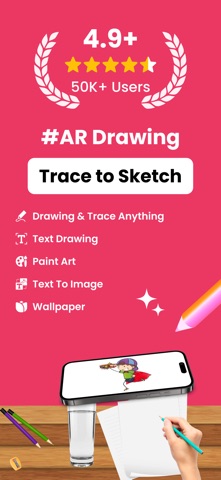
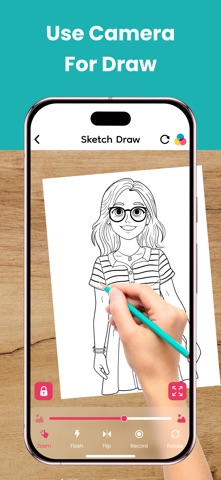
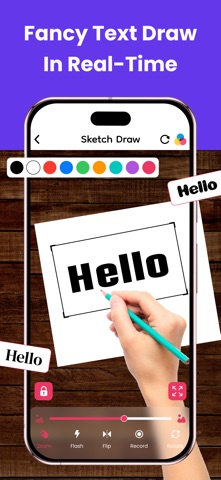


App Description
Unleash Your Creativity with AR Draw & Sketch: Art Maker!
Turn your iPhone or iPad into a powerful augmented reality sketchbook. Whether you're a beginner learning to draw or a professional artist looking to experiment, this app makes drawing and tracing easy and fun through your camera.
Key Features:
1. Camera Drawing – Use your phone's camera to trace images with AR.
2. Upload Your Image – Import any picture and transform it into art.
3. Draw Stickers – Create fun and unique stickers for your designs.
4. Font Art – Add stylish text and customize your artwork.
5. Wallpaper Creator – Design and set custom wallpapers for your phone.
6. Text to Image – Convert text into artistic visuals effortlessly.
7. Paint Art – Use a variety of brushes, colors, and tools to paint.
8. Creative Mode – Explore endless possibilities and let your imagination flow.
9. Favorite Collection – Save and organize your best artworks in one place.
Why Choose AR Draw & Sketch?
Easy to Use: Simple interface designed for all skill levels.
Powerful AR Features: Make tracing and sketching easier than ever.
Versatile Tools: Everything you need for drawing, painting, and designing.
Fun & Engaging: Enjoy endless creativity with a variety of features.
Who Can Use This App?
Artists & Designers – Improve drawing skills and create masterpieces.
Students & Teachers – Great for learning art and practicing techniques.
Tattoo Artists – Sketch and trace tattoo designs effortlessly.
DIY Creators – Make unique decorations, prints, and digital artwork.
Social Media Creators – Design cool posts, stickers, and wallpapers.
How to Use AR Draw & Sketch?
1. Choose an Image – Select or upload an image you want to draw.
2. Enable AR Mode – Place the image on your screen using the camera.
3. Start Sketching – Trace the image on paper or draw directly in the app.
4. Customize Your Art – Add stickers, fonts, colors, and more.
5. Save & Share – Keep your artwork or share it with friends and social media!
Start Drawing Like a Pro Today!
Download AR Draw & Sketch: Art Maker App now and explore a world of creativity with AR-powered sketching, painting, and design tools. Whether you're drawing for fun, learning new techniques, or creating professional artwork, this app has everything you need.
SUBSCRIPTION PRICING AND TERMS:
In-App