Printer App: Smart Scan Print

Printer App: Smart Scan Print Summary
Printer App: Smart Scan Print is a free, with in-app purchases iOS app in Business by Pol Nadal Serra. Released in Jun 2025 (1 year ago). It has 677 ratings with a 4.73★ (excellent) average. Based on AppGoblin estimates, it reaches roughly 3.4K monthly active users and generates around $<10K monthly revenue (100% IAP / 0% ads). Store last updated Aug 21, 2026
SDK intelligence: AppGoblin detected 3 development tools(e.g. Google), 1 ad networks, 1 analytics: product,and 1 business tools integrated into Printer App: Smart Scan Print. View full SDK list →
Printer App: Smart Scan Print SDKs Summary
Printer App: Smart Scan Print was last scanned for SDKs on 2026-08-30. Below is the overview of third-party companies detected in the app. The full list of SDKs, permissions and unknowns is available here.
 Google
 Airbnb Engineering
 nanopb
 Firebase
 RevenueCat
4.73★
Ratings: 677
Screenshots


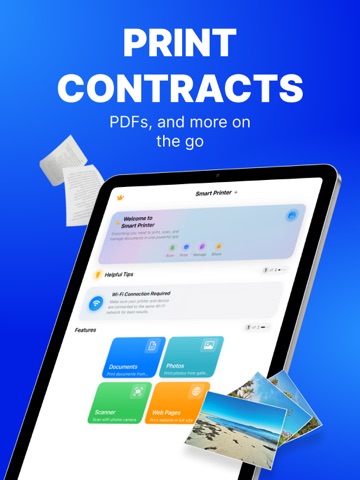

App Description
PRINT. SCAN. DONE.
Turn your iPhone or iPad into a full print & scan hub—no cables, drivers or PC required. Lightning-fast Phone-to-Print technology puts photos, PDFs and docs on paper in seconds.
WHY YOU’LL LOVE IT
• Zero-setup AirPrint & Wi-Fi pairing for 10.000+ printers.
• One-tap printing from Files, Mail, Photos, Safari or any share sheet
PRINT EVERYTHING, ANYWHERE
– Photos, PDFs, Word®, Pages®, Excel®, web pages & emails
– Cloud files: iCloud, Dropbox, Google Drive, OneDrive
SMART SCANNER
– Auto edge-detect & perspective fix
– Merge pages into one searchable PDF (OCR in 10 languages)
– Annotate, highlight & e-sign before printing
POWER USER CONTROLS
– Copies, page range, duplex, colour/mono, N-up & posters
– Paper sizes A3–A6, Letter, Legal & label sheets
– Save presets for frequent jobs
Premium Subscriptions:
• Subscribed user has unlimited access to the premium printing services
• User can subscribe for one month or one year auto renewing subscriptions
• Payment will be charged to iTunes Account at confirmation of purchase
• Subscription automatically renews unless auto-renew is turned off at least 24-hours before the end of the current period
• Account will be charged for renewal within 24-hours prior to the end of the current period
• Subscriptions may be managed by the user and auto-renewal may be turned off by going to the user Account Settings after purchase
COMPATIBILITY
Works with 99 % of AirPrint & Wi-Fi printers—just keep your device and printer on the same network.
PRIVACY-FIRST
All processing happens on-device. We never collect your documents.
Privacy: https://blastly.es/legal.php?app_id=13&doc=privacy
Terms: https://blastly.es//legal.php?app_id=13&doc=terms
EULA: https://blastly.es//legal.php?app_id=13&doc=eula