RePrompt: AI Prompt Builder

RePrompt: AI Prompt Builder Summary
RePrompt: AI Prompt Builder is a free, with in-app purchases iOS app in Productivity by TRUETAPP – MOBILE APPS LTDA. Released in Sep 2025 (1 year ago). It has 1.00 ratings with a 1.00★ (poor) average. Based on AppGoblin estimates, it reaches roughly 4.00 monthly active users and generates around $<10K monthly revenue (100% IAP / 0% ads). Store last updated Dec 23, 2025
RePrompt: AI Prompt Builder SDKs Summary
App not yet scanned for SDKs.
1★
Ratings: 1.00
Screenshots



App Description
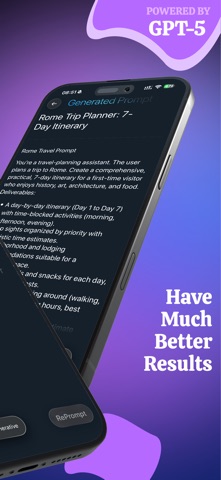
RePrompt is an AI prompt builder designed for iPhone and iPad. It gives you two focused modes—Optimize and Generate—so you can move from a rough idea to a clear, ready‑to‑run prompt without guesswork.
What you can do
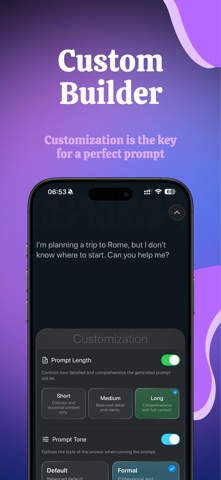
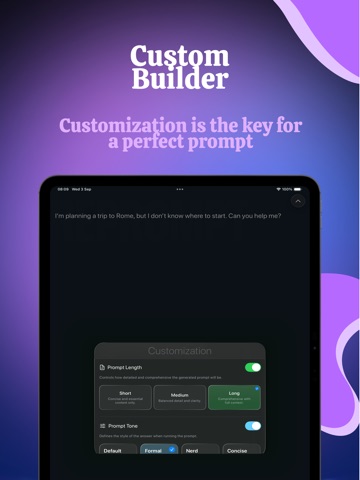
• Customize precisely. Pick Prompt Length (Short, Medium, Long) and set Prompt Tone/Mood (e.g., Default, Formal) so outputs match your intent and audience.
• Optimize on demand. Get an analysis that flags unclear instructions, missing context, and brittle phrasing. The app shows a Context Summary and recommended improvements—no manual scoring, no A/B testing overhead.
• Generate with control. Turn your refined prompt into a production‑ready version and fine‑tune style via Mood Control to push results toward concise, neutral, or creative.
• Compare and keep context. The Original Prompt stays visible for reference while you review the Generated Prompt and analysis.
• Copy or run anywhere. One tap to copy the final prompt or hand off to your preferred LLM app via the Share Sheet or deep links.
Built for real work
Whether you write content, plan a trip, draft emails, create technical specs, or structure research questions, RePrompt helps you ship prompts that are clear, reproducible, and easy to maintain.
Why it’s different
• A streamlined two‑mode workflow: edit → optimize → generate.
• Mood/Tone control and length presets that actually affect the output style.
• Prompt handoff that fits the tools you already use (copy or open in your LLM app).
• A clean, distraction‑free interface that keeps the prompt front and center.
Widgets & Shortcuts (iOS)
Run your best prompts without opening the app.
• Home & Lock Screen Widgets: Pin favorite prompts for one‑tap run or one‑tap optimize.
• Share Sheet action: Select text in any app → Optimize in RePrompt → Copy/Handoff to your LLM.
• Shortcuts actions: Optimize Prompt, Generate Prompt, Set Mood, Set Length, Copy Final Prompt, Run in LLM App. Chain them into automation: draft → optimize → open in chat → paste → send.
Who it’s for
• Writers & marketers: long‑form posts, ad angles, social captions, email campaigns.
• Students & researchers: study guides, structured questions, topic outlines, summaries.
• Developers & product folks: bug reproduction prompts, API question templates, spec checklists.
• Travel & ever