Purple Cow Wi-Fi

Purple Cow Wi-Fi Summary
Purple Cow Wi-Fi is a free iOS app in Tools by Purple Cow Internet Inc. Released in Nov 2025 (11 months ago). It has 4.00 ratings with a 4.72★ (excellent) average. Based on AppGoblin estimates, it reaches roughly 17 monthly active users . Store last updated Apr 9, 2026
Purple Cow Wi-Fi SDKs Summary
App not yet scanned for SDKs.
4.72★
Ratings: 4.00
Screenshots


App Description
The Purple Cow Wi-Fi app lets you quickly setup and easily manage your Purple Cow Wi-Fi network equipment. Use the app for quick insights to get the most out of your internet connection and wireless network.
Experience seamless connectivity with our real-time mesh Wi-Fi solution that delivers uninterrupted speed and coverage throughout your home. The Purple Cow Wi-Fi network is self-optimizing against interference in real time to avoid disruptions and ensure optimal performance.
Key Features:
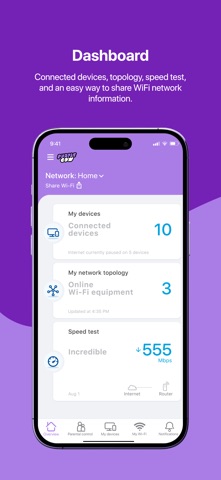
Dashboard - View connected devices, topology, speed test results, and get an easy way to share your Wi-Fi network
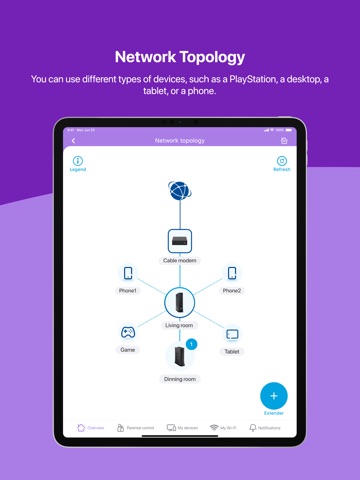
Network Topology - See different types of devices such as smartphones, desktops, tablets, and more
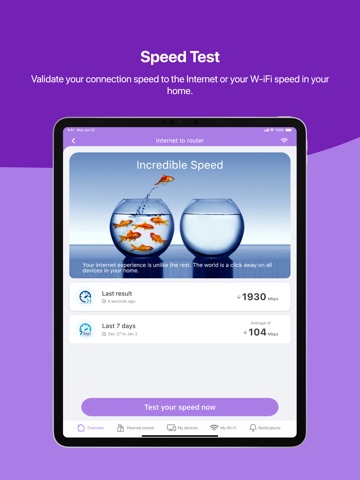
Speed Test - Validate your connection speed to the internet or your Wi-Fi speed in your home
Parental Controls - Set up user profiles and assign devices to users, schedule multiple pauses during specific hours
Manage Multiple Locations - Have a home, cottage, and office? No matter where you are, you can manage all from the same app
My Devices - Manage all devices connected to your network, from phones and tablets to smart TVs and gaming devices
My Wi-Fi - Easily change the password or share it with your guests
Notifications - Notify you of potential performance and security issues and guide you to the resolution
Simple Setup Process: The app guides you through setup including scanning your equipment label, confirming your MAC address, selecting home layout (apartment/townhouse/house, square/rectangle shape, number of floors, total size), connecting coax cable, powering on your device, checking LED status, and setting up your Wi-Fi name and password.