Duplicate Storage Cleaner AI

Duplicate Storage Cleaner AI Summary
Duplicate Storage Cleaner AI is a free, with in-app purchases iOS app in Tools by Igor Bidenko. Released in Jul 2025 (1 year ago). It has 2.00 ratings with a 5.00★ (excellent) average. Based on AppGoblin estimates, it reaches roughly 17 monthly active users and generates around $<10K monthly revenue (100% IAP / 0% ads). Store last updated Sep 23, 2026
Duplicate Storage Cleaner AI SDKs Summary
App not yet scanned for SDKs.
5★
Ratings: 2.00
Screenshots


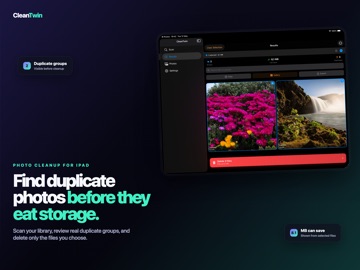


App Description
Storage full again? Photos app cluttered with duplicates, burst shots, and screenshots you forgot about? This duplicate cleaner finds every copy hiding in your photo library and across your Files app, so you can free up gigabytes in minutes instead of hunting through albums one by one.
Built for iPhone and iPad. Optimized for huge libraries. Runs entirely on-device.
WHAT IT FINDS
Exact Duplicates. The fast hash engine catches byte-for-byte identical photos. Same shot saved twice, three times, ten times. Whether it came from a backup, a chat thread, or an import gone wrong, the duplicate finder spots it in seconds.
AI Similar Photos. Vision AI compares photos visually, not just by file. Burst shots from the same second. Edited copies. Cropped versions. The same scene from slightly different angles. The neural matcher groups them so you can pick the keeper and clear the rest.
Screenshot Cleanup. Hundreds of duplicate screenshots from web articles, receipts, and chats. The scanner targets the screenshots folder and surfaces duplicates fast, so your gallery stops looking like a hoarder's notebook.
Files and iCloud Scanning. Pick any folder in the Files app, scan iCloud Drive, dig through a downloaded archive. Documents, PDFs, photos, anywhere duplicates pile up, the cleaner reaches them.
HOW IT WORKS
Pick what to scan: photo library, screenshots, or Files. Choose a mode: exact match or AI similarity. Review groups with side-by-side previews. Auto-select duplicates or pick your own. Delete and watch the gigabytes come back.
Originals always stay protected. Deleted photos go to Recently Deleted first, so nothing is gone for good unless you say so.
SMART FEATURES
Adaptive Performance scans adjust to device state, so battery and heat stay in check. Memory Management handles tens of thousands of photos without choking. Gallery View shows large previews for quick visual confirmation. Auto-select pre-picks copies and keeps the best. The adjustable AI threshold lets you tune how strict the similar-photo matcher gets. Skip Hidden Files ignores system files and hidden folders. Dark and light themes match your iOS appearance. Scan notifications ping you when a long scan finishes. Performance tuning controls concurrent operations for your device. The iPad layout uses sidebar navigation and large previews, built for the bigger screen.
BUILT FOR
People who shoot a lo