Flooring Visualizer

Flooring Visualizer Summary
Flooring Visualizer is a free, with in-app purchases iOS app in Tools by HYPER IGNITION SYSTEMS. Released in Dec 2025 (9 months ago). It has 1.00 ratings with a 5.00★ (excellent) average. Based on AppGoblin estimates, it reaches roughly 23 monthly active users and generates around $<10K monthly revenue (100% IAP / 0% ads). Store last updated Aug 26, 2026
Flooring Visualizer SDKs Summary
App not yet scanned for SDKs.
5★
Ratings: 1.00
Screenshots



App Description
Transform your home effortlessly with our virtual flooring visualizer app, designed to help you preview new floor materials in real time. Whether you are planning a complete home renovation, remodeling a single bedroom, or simply exploring new design ideas, our advanced flooring visualizer makes it simple to see how different styles look in your actual space before making a purchase.
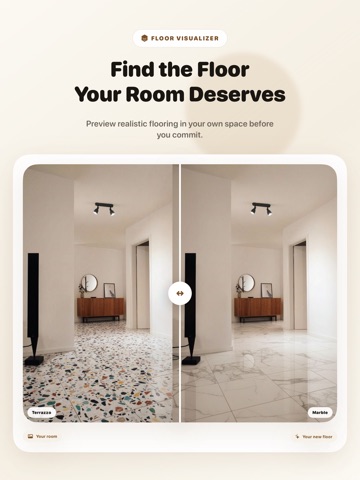
Selecting the right floor material can be overwhelming, but visualizing your options should not be. With a single photo of your room, you can swap out existing surfaces for modern hardwood, elegant tile, cozy carpet, durable laminate, or luxury vinyl plank. Our cutting-edge room visualization technology accurately handles lighting, shadows, and perspective, giving you a realistic preview of your dream room in seconds.
Key Features:
- Instant Room Preview: Snap a photo of any room and immediately test dozens of flooring options with photo-realistic accuracy.
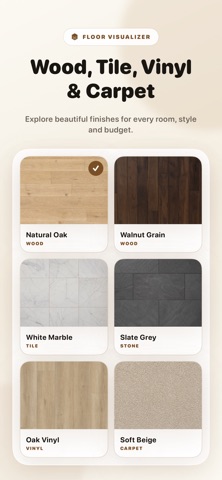
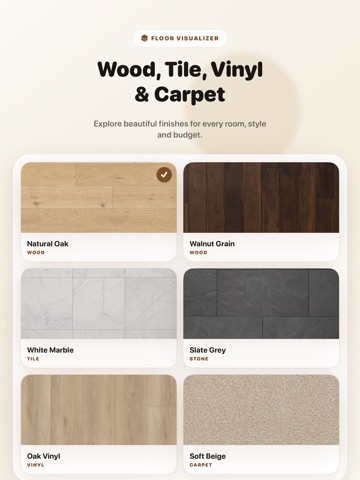
- Extensive Material Library: Explore a vast collection of hardwood flooring, ceramic tile, plush carpet, laminate, plank vinyl, and natural stone styles.
- Custom Texture and Pattern Adjustments: Fine-tune plank angles, pattern alignment, stain shades, and tile grid sizes to match your precise aesthetic.
- Side-by-Side Comparison Tool: Compare multiple floor designs side by side to confidently choose the best look for your interior design project.
- Seamless Lighting Realism: Intelligent spatial rendering adjusts automatically to your room's natural lighting, shadows, and furniture layout.
- Easy Sharing and Collaboration: Save your high-resolution visualization renders and share them with contractors, interior designers, family, or friends.
Why You'll Love It:
- Eliminate Guesses and Risk: See exactly how dark hardwood or light tile complements your cabinets, furniture, and wall colors before spending money.
- Save Time and Money: Avoid costly ordering mistakes and shorten your home improvement decision-making process significantly.
- Perfect for Homeowners and Pros: Ideal for DIY enthusiasts, real estate agents staging properties, flooring contractors, and professional interior decorators.
- Fast and Easy Navigation: User-friendly interface allows anyone to render realistic floor upgrades in seconds without complex 3D modeling skills.
Upgrade your home with confidence today. Download the Flooring Visualizer app now, tr