Smart Printer - Auto AirPrint

Smart Printer - Auto AirPrint Summary
Smart Printer - Auto AirPrint is a free, ad-supported, with in-app purchases iOS app in Business by EVOLLY.APP. Released in Aug 2025 (1 year ago). It has 1.1K ratings with a 4.00★ (good) average. Based on AppGoblin estimates, it reaches roughly 7.2K monthly active users and generates around $<10K monthly revenue (45% IAP / 55% ads). Store last updated Sep 15, 2026
Recent activity: 11 new ratings this week View trends →
SDK intelligence: AppGoblin detected 5 development tools(e.g. Google), 2 ad networks, 1 analytics: product,and 1 business tools integrated into Smart Printer - Auto AirPrint. View full SDK list →
Smart Printer - Auto AirPrint SDKs Summary
Smart Printer - Auto AirPrint was last scanned for SDKs on 2026-09-25. Below is the overview of third-party companies detected in the app. The full list of SDKs, permissions and unknowns is available here.
 Google
 Snap
Snap nanopb
 Alamofire
 MongoDB
 Firebase
 RevenueCat
4★
Ratings: 1.1K
Screenshots



App Description
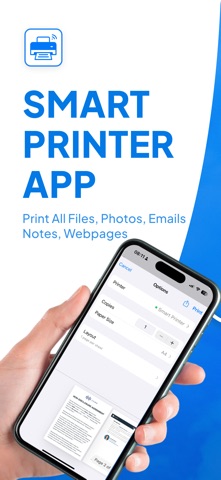
Print anything from your iPhone or iPad—instantly. Smart Printer - Auto AirPrint finds compatible printers on your Wi-Fi network and lets you print documents, photos, emails, web pages, and more in just a few taps. No drivers. No setup headaches. Just open, detect, and print.
Why you’ll love it
* Auto-Detect Printers: Seamless discovery of AirPrint-enabled printers on your Wi-Fi.
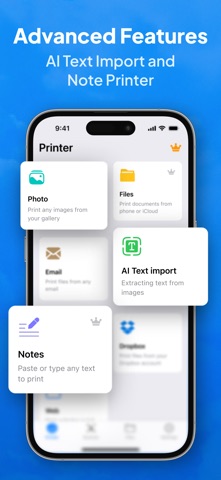
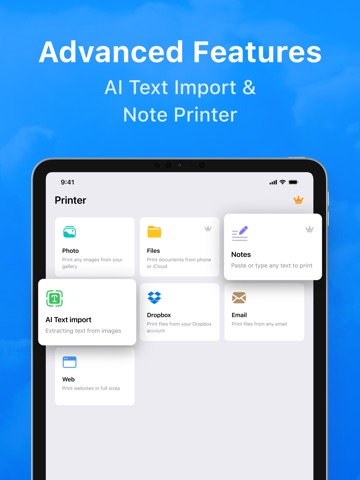
* One-Tap Printing: Send PDFs, photos, Word/Excel files, emails, and web pages straight to your printer.
* Built-In Scanner: Turn your camera into a fast document scanner with auto-crop and adjustable filters, then print or save as PDF.
* Print Options You Need: Choose paper size (A4, Letter, Legal), color or B&W, copies, duplex* and orientation—if your printer supports it.
* Photo Layouts: Quickly print standard photo sizes like 4x6, 5x7, 8x10.
* Share Sheet Support: Print from Files, Photos, Mail, Safari, Notes, and your favorite apps via the iOS share menu.
* PDF Tools: Reorder pages, add multiple pages from scans, and preview before you print.
* Clipboard & Camera: Paste content from the clipboard or snap a photo and print right away.
* On-Device Privacy: Your documents stay on your device and local network; printing uses Apple’s AirPrint protocols.
How it works
1. Connect your iPhone/iPad and printer to the same Wi-Fi.
2. Open the app—your AirPrint printer is detected automatically.
3. Pick what to print (Files, Photos, Scan, Web), tweak options, and tap Print.
Works with popular printers
Compatible with AirPrint-enabled printers from leading brands like HP, Canon, Epson, Brother, and more. Features such as duplex, borderless, or specialty paper depend on your specific printer model.
Perfect for
* Tickets, receipts, boarding passes, and invoices
* Homework, handouts, and meeting notes
* Photos, IDs, and scanned documents
SUBSCRIPTIONS:
Please note, you will need a subscription in order to get access to some features of the app. The subscription will be automatically renewed unless auto-renew is turned off at least 24 hours before the end of the current payment period. Your iTunes account will be automatically charged at the same price for renewal within a 24-hour period prior to the end of the current payment period unless you change your subscription preferences in your iTunes Account Settings. When a subscription is canceled, access to the features will expire