AI CleanUp - OneTap Clean

AI CleanUp - OneTap Clean Summary
AI CleanUp - OneTap Clean is a free, with in-app purchases iOS app in Tools by Binary Bridge HK Limited. Released in Sep 2025 (1 year ago). It has 601 ratings with a 3.82★ (average) average. Based on AppGoblin estimates, it reaches roughly 1.7K monthly active users and generates around $<10K monthly revenue (100% IAP / 0% ads). Store last updated Dec 13, 2025
SDK intelligence: AppGoblin detected 5 ad networks(e.g. Google), 2 development tools, 1 analytics: product, 1 analytics: attribution,and 1 business tools integrated into AI CleanUp - OneTap Clean. View full SDK list →
AI CleanUp - OneTap Clean SDKs Summary
AI CleanUp - OneTap Clean was last scanned for SDKs on 2026-05-15. Below is the overview of third-party companies detected in the app. The full list of SDKs, permissions and unknowns is available here.
 Google
 Facebook
 AdMob
AdMob TopOn
TopOn nanopb
 Firebase
 Adjust
 Alipay
3.82★
Ratings: 601
Screenshots

App Description
AI CleanUp - OneTap Clean is a design-led, relaxed approach to managing your phone’s storage and keeping personal items secure under your own control. It focuses on two main aspects: thoughtful media curation and a discreet private space, presented with a restrained visual language and gentle, data-aware feedback.
A ritual for your camera roll
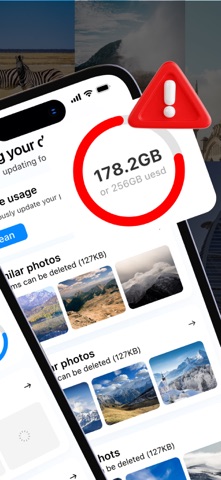
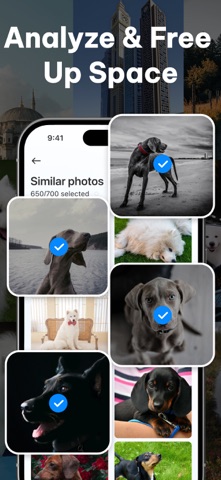
The app scans your device and organizes items into readable categories: Similar Photos, Blurry Photos, Screenshots, Similar Videos, and more. You can browse thumbnail grids, select precisely (or select all), and remove what you no longer need. A progress ring and a completion screen clearly show “space reclaimed,” making the process feel complete.
Glanceable awareness
The Dynamic Island card shows the estimated space you can free up and the current count of items awaiting review. Tap to enter the management interface: curate media when you’re ready—no noise, just a gentle nudge at the right moment.
Private Space
Protect what matters with an app-level lock and a simple schedule. Set daily limits or quiet hours for selected apps. Store sensitive information in discreet sections—Private Photos, Private Videos, Private Contacts, and Private Notes—organized into familiar albums and lists. Add, review, and remove content at any time.
Utility Drawer
A simple toolkit accompanies your daily maintenance flow: current network status, mobile hotspot reminder, screen check, and basic device info—small helpers that complete routine care.
Why it feels different
In media management, the app avoids exaggerations and “one-click miracles.” Instead, it treats digital upkeep as a light daily practice: measured steps, tactile selections, clear progress, and a calm finish. The interface uses large tiles, clean typography, and smooth transitions, making decisions effortless and reversible until you confirm.
What you see is what you get
All features shown—media grouping and review, Dynamic Island prompts, private albums and contacts, app lock with scheduling, and the utility drawer—are fully available in the app’s current design. No clutter, no distractions—just a modern way to keep your phone in good order, on your terms.
– Payment will be deducted from your iTunes Account once the purchase is confirmed (after the free trial period, if available).
– The subscription will automatically renew unless the au