Doc PDF Scanner: Scan Document

Doc PDF Scanner: Scan Document Summary
Doc PDF Scanner: Scan Document is a free, ad-supported, with in-app purchases iOS app in Tools by David Krejci. Released in Aug 2025 (1 year ago). It has 1.00 ratings with a 5.00★ (excellent) average. Based on AppGoblin estimates, it reaches roughly 3.00 monthly active users and generates around $<10K monthly revenue (27% IAP / 73% ads). Store last updated Aug 27, 2025
Doc PDF Scanner: Scan Document SDKs Summary
App not yet scanned for SDKs.
5★
Ratings: 1.00
Screenshots




App Description
Scan documents easily and export them into PDF.
Document scanner with many features.
How to use this app:
1. Scan the document using the scan document button
2. Save the document inside the app to organize all your documents in one place
3. Lock the document using face id
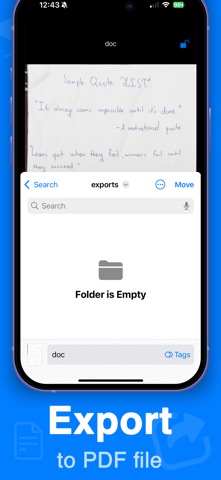
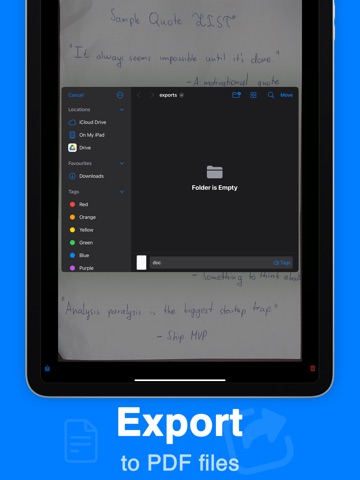
4. Export the document into PDF into a separate folder
All data is handled locally, so this app is private and does not share documents with third party services. All scanned documents stay on your device.
Features:
- Excellent scan quality
- Automatically recognizes documents to scan
- Saves documents locally
- Can export documents to PDF files
There is a PRO subscription available.
Premium Subscription:
Upgrade to professional access by purchasing an auto-renewing subscription. Please note that payment will be charged to your iTunes account upon confirmation of purchase. Your subscription will automatically renew at the same price and for the selected duration (monthly or annual) unless canceled at least 24 hours before the current period ends. Auto-renewal can be disabled at any time through your account settings. Available subscription options include the following (prices may vary by country):
• 1-week pro: $3.99 (with 3-day free trial)
• 1-year premium: $19.99 (no free trial available)
EULA: https://dczt.dev/eula-terms-of-use.html
Privacy Policy: https://dczt.dev/app-privacy-policy.html