TypeSnip - Text Expander

TypeSnip - Text Expander Summary
TypeSnip - Text Expander is a free, ad-supported, with in-app purchases iOS app in Tools by ASAPP STUDIO. Released in Sep 2025 (1 year ago). Store last updated Jul 31, 2026
TypeSnip - Text Expander SDKs Summary
App not yet scanned for SDKs.
0★
Ratings: 0
Screenshots


App Description
TypeSnip – Smart Keyboard Expander
TypeSnip makes typing faster and smarter by letting you create and manage your own text snippets. Assign a keyword or abbreviation to any snippet, and whenever you type it, TypeSnip instantly suggests the full expansion. Perfect for emails, templates, code, or phrases you use every day.
Key Features
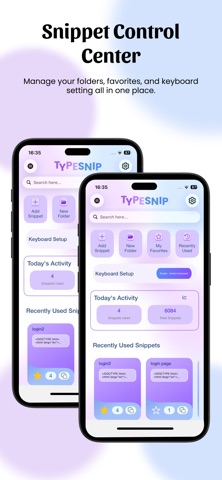
Folder Organization – Group your snippets into folders for easy access and management.
Smart Keyword Expansion – Type a keyword/abbreviation and instantly expand it into your saved snippet.
Works Everywhere – Use the TypeSnip keyboard across all your favorite apps.
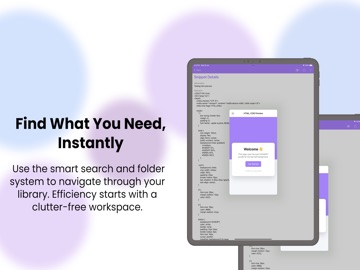
Search & Suggest – Quickly find the right snippet when you need it.
Customizable Snippets – Save text, templates, or reusable code.
Enable & Disable Control – Long-press a folder to edit, delete, or disable it.
Swipe left on snippets:
Full swipe → delete instantly.
Half swipe → access menu options to disable, enable, edit, or copy expansion.
HTML Rendering Mode – Save HTML/CSS snippets and view them as fully rendered content inside the app.
Paste as Rich Text – Copy rendered snippets as rich text and paste into supported apps like Gmail, Teams, and more.
Private & Secure – Snippets are stored locally on your device unless you choose to export them.
Free vs. Pro
Start free with:
1 folder
5 snippets
HTML rendering & rich text paste
Upgrade to TypeSnip Pro for:
Unlimited folders & snippets
Import & export (JSON & CSV)
Advanced organization with search & suggestions
Priority updates and access to future features
TypeSnip gives you the freedom to create, organize, and reuse snippets anywhere — saving you time and boosting productivity every day.