Car Play Connect Sync Autolink

Car Play Connect Sync Autolink Summary
Car Play Connect Sync Autolink is a free, with in-app purchases iOS app in Maps And Navigation by Ahmet Mucahid Bozkurt. Released in Oct 2025 (12 months ago). It has 5.8K ratings with a 4.50★ (excellent) average. Based on AppGoblin estimates, it reaches roughly 20K monthly active users and generates around $<10K monthly revenue (100% IAP / 0% ads). Store last updated Sep 11, 2026
Recent activity: -1 new ratings this week View trends →
SDK intelligence: AppGoblin detected 3 development tools(e.g. Google), 1 ad networks,and 1 analytics: product integrated into Car Play Connect Sync Autolink. View full SDK list →
Car Play Connect Sync Autolink SDKs Summary
Car Play Connect Sync Autolink was last scanned for SDKs on 2026-07-29. Below is the overview of third-party companies detected in the app. The full list of SDKs, permissions and unknowns is available here.
 Google
 Airbnb Engineering
 nanopb
 Firebase
4.5★
Ratings: 5.8K
Screenshots



App Description
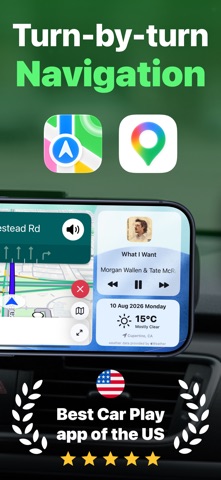
Car Play Connect reimagines your iPhone as a sophisticated digital dashboard for your vehicle. With a beautifully designed landscape interface, you'll have everything you need while driving—navigation, music, contacts, and more—all at your fingertips.
ADVANCED TURN-BY-TURN NAVIGATION
• Real-time GPS navigation with precise step-by-step directions
• Multiple route options with time and distance comparisons
• Live traffic updates to avoid delays
• Dynamic route recalculation as you drive
• Multiple map styles: Standard, Satellite, and Traffic views
• Easy location search and destination management
• 3D camera angle for immersive navigation experience
SEAMLESS MUSIC INTEGRATION
• Full control over your Music library
• Search and play songs instantly
• Play, pause, skip forward and backward controls
• See what's currently playing at all times
STAY CONNECTED SAFELY
• Quick access to your contacts
• One-tap calling and messaging directly from the dashboard
• Search contacts easily while driving
VIRTUAL GARAGE
• Add and manage multiple vehicles
• Select your active vehicle with a swipe
• Store vehicle information and preferences
SMART DASHBOARD FEATURES
• Real-time clock and date display
• Battery level monitoring
• Quick access menu for essential apps:
- Calendar
- Weather
- Messages
- Find My
- System Settings
CUSTOMIZATION OPTIONS
• Multiple stunning dashboard backgrounds
• Choose between kilometers or miles
• Dark and Light mode support
• Optimized for landscape orientation
DESIGNED FOR DRIVING
Car Play Connect's interface is specifically designed for in-car use with large, easy-to-tap controls and clear, readable text. Everything is optimized for quick glances and safe interaction while driving.
GET STARTED IN SECONDS
1. Open Car Play Connect
2. Add your vehicle to the garage
3. Tap "Open Dashboard"
4. Rotate your iPhone to landscape
5. Place it on your car mount
6. Start driving smarter
Privacy Policy: https://ahmetmb.com/carplayconnect/privacy-policy.html
Term of Use: https://ahmetmb.com/carplayconnect/terms-conditions.html