PDF Document Scanner Converter

PDF Document Scanner Converter Summary
PDF Document Scanner Converter is a free, with in-app purchases iOS app in Tools by SYNAPPS AI LTD. Released in Sep 2025 (1 year ago). It has 16 ratings with a 4.56★ (excellent) average. Based on AppGoblin estimates, it reaches roughly 43 monthly active users and generates around $<10K monthly revenue (100% IAP / 0% ads). Store last updated Sep 14, 2026
PDF Document Scanner Converter SDKs Summary
App not yet scanned for SDKs.
4.56★
Ratings: 16
Screenshots


App Description
PDF Converter & Signature – Scan, Convert, and Sign PDFs!
Easily scan documents, convert images or photos to PDF, and sign your PDFs with PDF Converter & Signature. This an all in one app makes handling documents simple and effective.
Features of PDF Converter & Signature:
* Document Scanner PDF: Scan any document, receipt, or note to PDF in a very short time!
* Convert to PDF: Turn images, photos, DOCX, XLSX, XSL or text files into PDF’s.
* URL to PDF: Enter the URL you want to convert, we will convert it to PDF.
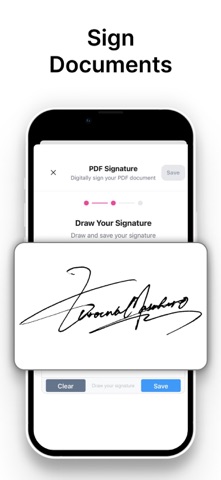
* Sign PDF: Add your signature to documents directly within the app. Easy signing documents!
* PDF Converter & PDF Maker: Convert PDFs to Word, JPEG, or other formats.
* Image to PDF & Photo to PDF: Easily turn your pictures into professional PDFs.
Either you need a free PDF scanner app, scan to PDF, or a picture to PDF converter, PDF Converter & Signature handles it all in one place.
Why use PDF Converter & Signature?
* Fast and accurate conversions – Images, documents, and photos convert in seconds.
* All-in-one PDF tool – Scan, convert, and sign without switching apps.
* Professional and personal use – Perfect for work, school, or everyday documents.
* Easy to use – No complicated setup, just reliable PDF management. Simple clicks and we will handle the rest!
Download PDF Converter & Signature today and handle all your PDFs, from document scanning to PDF conversion and signing, effortlessly.
Contact: hello@synappsai.com
Terms: https://www.synappsai.com/terms-of-use
Privacy: https://www.synappsai.com/privacy-policy