Compass app & Location Tracker

Compass app & Location Tracker Summary
Compass app & Location Tracker is a free, ad-supported, with in-app purchases iOS app in Tools by ERVI FIRST LLC. Released in Nov 2025 (9 months ago). It has 45 ratings with a 4.67★ (excellent) average. Based on AppGoblin estimates, it reaches roughly 137 monthly active users and generates around $<10K monthly revenue (26% IAP / 74% ads). Store last updated Jan 21, 2026
Compass app & Location Tracker SDKs Summary
App not yet scanned for SDKs.
4.67★
Ratings: 45
Screenshots
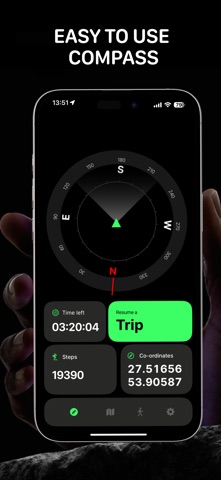


App Description
Discover new places and explore familiar trails with our advanced and easy-to-use compass app. Designed for hikers, travelers, and outdoor enthusiasts, this app combines the essential features you need for safe and enjoyable journeys.
How to use a compass?
A compass shows the direction to Earth's magnetic poles. The magnetic needle of a compass always points north, allowing you to determine all other cardinal directions: south, east, and west. Hold the compass horizontally, wait for the needle to stabilize, and rotate the device so the needle aligns with the north marking (N).
How does a compass work?
A compass works by utilizing a magnetized needle that aligns itself with Earth's magnetic field. The needle is balanced on a pivot point, allowing it to rotate freely. One end of the needle is attracted to the magnetic North Pole, while the other points toward the magnetic South Pole.
How to calibrate phone compass?
Settings > Privacy & Security > Location Services > System Services and toggling Compass Calibration on.
Key Features:
1. Dynamic Compass
Never lose your way. Our live compass always follows your movement and instantly adjusts to show you the right direction, no matter where you are. The clear interface makes it easy to read, whether you are walking, cycling, or driving.
2. Step, Distance & Time Tracking
Stay motivated and keep track of your progress! The app automatically counts your steps, measures the distance you’ve traveled, and records the time of your journey. See all your stats in one place and challenge yourself to go further every time.
3. Interactive Route Map
Visualize your adventure as it happens. The app provides a detailed map that tracks your route in real time, so you’ll always know where you’ve been and where you’re headed. Plan your path, avoid getting lost, and explore new areas with confidence.
4. Compass on the Map
For the best navigation experience, use the map together with the compass. See your current direction directly on the map, helping you orient yourself instantly and make more informed decisions on your journey.
5. Trip Recording & History
Keep a digital diary of your adventures. Record each trip with a single tap and save your routes automatically. Browse your hiking history and relive your favorite hikes, complete with step count, distance, time, and the path you took. Perfect for track