Photo Enhancer: Unblur Photo

Photo Enhancer: Unblur Photo Summary
Photo Enhancer: Unblur Photo is a free, with in-app purchases iOS app in Photo And Video by Reda Boubkraoui. Released in Oct 2025 (11 months ago). It has 3.00 ratings with a 5.00★ (excellent) average. Based on AppGoblin estimates, it reaches roughly 5.00 monthly active users and generates around $<10K monthly revenue (100% IAP / 0% ads). Store last updated Aug 30, 2026
Photo Enhancer: Unblur Photo SDKs Summary
App not yet scanned for SDKs.
5★
Ratings: 3.00
Screenshots


App Description
Turn blurry, old, or damaged photos into sharp, stunning HD images in seconds — powered by AI.
Photo Enhancer: Unblur Photo uses advanced artificial intelligence to restore faces, sharpen details, and bring your memories back to life. No editing skills needed: pick a photo, tap enhance, and watch the magic happen.
WHAT YOU CAN DO
• Unblur Photos — Remove blur and camera shake to make any picture crystal clear
• Enhance Quality — Upscale low-resolution images to sharp HD quality
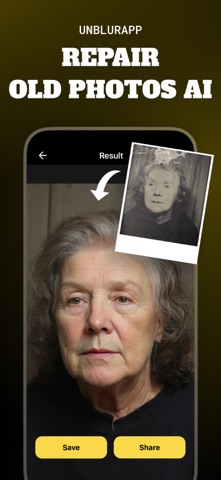
• Restore Old Photos — Repair scratches, tears, and damage on vintage family photos
• Fix Faces — AI face restoration makes portraits look natural and detailed
• Colorize — Add realistic color to black-and-white photographs
• Before & After — Compare the original and enhanced photo side by side
• Save & Share — Export in high resolution and share with family and friends
WHY PHOTO ENHANCER?
• One-tap enhancement — no manual editing required
• Fast results, typically in under a minute
• Works on old scans, screenshots, and low-light shots
• Your photos stay private and secure
PERFECT FOR
• Restoring precious family memories and vintage photos
• Fixing blurry shots you can't retake
• Improving profile pictures and social media posts
• Preparing photos for printing and framing
Download Photo Enhancer: Unblur Photo today and give every picture a second life!
Subscription terms: Payment will be charged to your Apple ID account at confirmation of purchase. Subscriptions automatically renew unless canceled at least 24 hours before the end of the current period. Manage or cancel anytime in your App Store account settings.
Privacy Policy & Terms of Use available inside the app.