All TVs Remote Control App
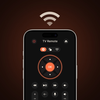
All TVs Remote Control App Summary
All TVs Remote Control App is a mobile iOS app in Tools by Irfan Haider. Released in Oct 2025 (8 months ago). Store metadata: updated Jan 10, 2026.
Store info: Last updated on App Store on Jan 10, 2026 .
0★
Ratings:
Screenshots
App Description
Take control of your home entertainment like never before. With Universal TV Remote your iPhone, iPad become the ultimate remote for your Smart TV or streaming device — no extra hardware required.
Why You’ll Love It
Instantly replace your physical remote — lost it? No problem.
Simple setup: connect your TV and iPhone/iPad to the same WiFi network and you’re ready.
Full remote functionality: power on/off, volume, channel input, HDMI/source switching, playback controls, etc.
Easy text input: built‑in keyboard makes searching for shows fast and effortless.
Touchpad / D‑pad interface: swipe or tap to navigate menus, apps, and smart features.
Media cast: send photos, videos or music from your device to the big screen.
Compatible with iPhone, iPad and Apple Watch (where supported).
Periodic updates to add support for new TV models and improve performance.
Key Features:
Universal compatibility with numerous TV devices.
Automatic WiFi-based device discovery for simple setup.
Easy-to-use and responsive interface.
In-app keyboard and advanced navigation inputs.
Cast directly from your device to the TV.
Developer commitment: regular updates, bug fixes and feature extensions.
How It Works
Install and launch Universal TV Remote on your iPad or iPhone.
Make sure your TV and phone/tablet are both connected to the same WiFi network.
The app automatically detects your device — tap to join and begin controlling.
Control through the remote interface — turn on/off, change channels, adjust the volume, cast media, enter search queries, and more.
Pro‑Tips
For optimal connection, make sure your TV firmware is current.
Place your phone/tablet near your TV's WiFi network for best responsiveness.
In case your TV has "Wake on LAN" or equivalent network wake‑up capability, you can potentially switch it on over WiFi remotely.
Disclaimer:
Universal TV Remote isn't endorsed or affiliated with any particular TV brand mentioned.
Certain older TVs or IR‑only models might need your phone/tablet to support infrared (IR) hardware.
A WiFi connection is needed to link the app to your TV.
Some functionality will need upgrading to the Premium version (in‑app purchase/subscription) for complete access.
In‑App Purchases
• Free version: Standard remote control features with ads optionally.
• Premium version: Unrestricted access, ad‑free use, enhanced f