PrismText: OCR Scanner

PrismText: OCR Scanner Summary
PrismText: OCR Scanner is a ad-supported iOS app in Tools by CHANG DEOK KIM. Released in Oct 2025 (7 months ago). Store metadata: updated Feb 24, 2026.
Store info: Last updated on App Store on Feb 24, 2026 .
0★
Ratings:
Screenshots
App Description
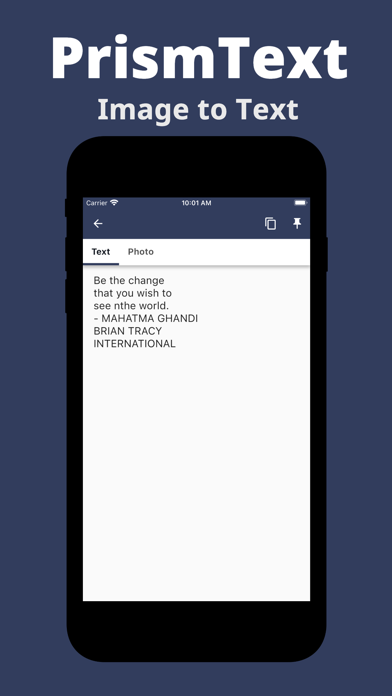
Turn your photos into editable text in seconds with PrismText. Pick an image from your gallery and get clean, selectable text you can copy, favorite, and reuse anytime.
『 Why PrismText 』
• One-tap from Photos: Choose a photo and see the text instantly.
• Copy in a second: Send the result to your clipboard for quick paste into notes, chats, or email.
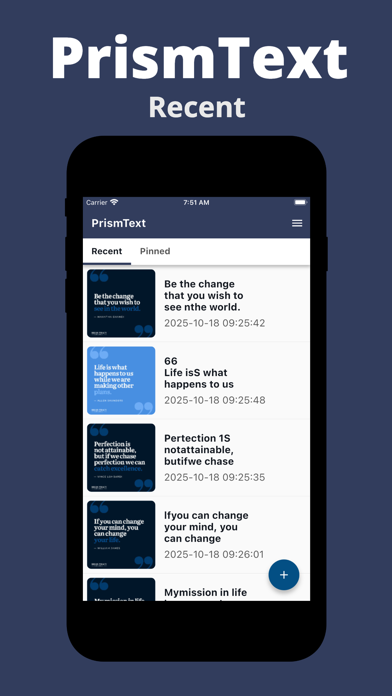
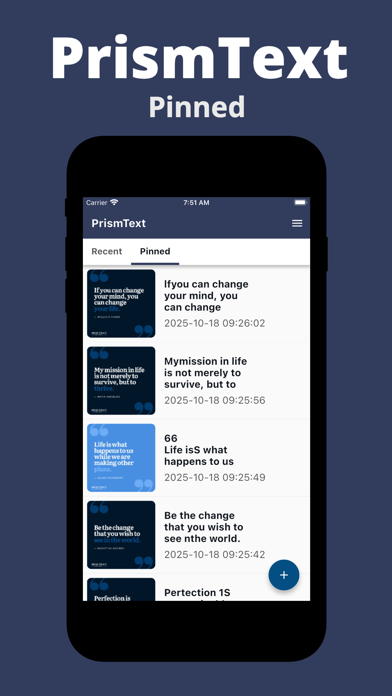
• Favorites & History: Star important results and revisit your full scan history for easy reuse.
• Fast, private, on-device OCR: Text recognition runs locally on your device — no account required.
『 Great for 』
• Documents, receipts, labels, menus, signs, slides, and magazines
• Copying Wi-Fi passwords, serial numbers, and short snippets
• Saving quotes or key notes for later
『 How it works 』
① Open PrismText and pick a photo from your gallery.
② The app recognizes the text on-device.
③ Copy, favorite, or share. Your history keeps everything handy.
『 Pro tips 』
• Use sharp, well-lit images for the best accuracy.
• Try to avoid glare, heavy tilt, or busy backgrounds.
• Crop to the area with text before scanning for cleaner results.
『 Accessibility 』
• Simple UI, large adjustable text display, and high-contrast layout.
『 Privacy 』
• Your scans stay on your device. We do not collect your content.
Download PrismText and experience its convenience now!