Web Scout - AI Site Monitor

Web Scout - AI Site Monitor Summary
Web Scout - AI Site Monitor is a free, with in-app purchases iOS app in Tools by Dmitry Ostromogilski. Released in Dec 2025 (11 months ago). Store last updated Dec 2, 2025
Web Scout - AI Site Monitor SDKs Summary
App not yet scanned for SDKs.
0★
Ratings: 0
Screenshots




App Description
Let Web Scout watch the web for you.
Choose any product pages, competitors, dashboards, documentation, job boards, internal tools and get notified the moment something important changes.
AI reads the changes so you don’t have to compare screenshots or lines of text by hand.
Key features:
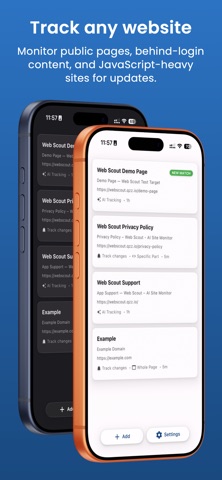
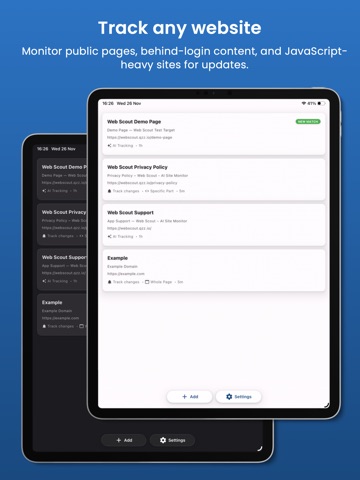
• Track any website
Create a “scout” by pasting a URL. Web Scout will check it on a schedule and notify you when it changes.
• AI‑powered change summaries
Instead of reading raw diffs, get natural‑language summaries of what changed. AI highlights key points so you can decide in seconds if it matters.
• Clear visual & text diffs
See exactly what changed with side‑by‑side “before” and “after” views. New content appears clearly, and removed content is shown separately so nothing is missed.
• Keyword‑focused alerts
Define keywords, phrases, or patterns you care about. Web Scout emphasizes where those words appear in the changes so you can skim faster.
• Support for logins & authenticated pages
Monitor pages that normally require you to be signed in: dashboards, portals, internal docs, account/billing pages, and more.
Authentication is opt‑in, uses your own session, and can be cleared instantly from Settings.
• JavaScript rendering for dynamic sites
Many modern websites are built as single‑page apps and dashboards that only load data with JavaScript. Web Scout can render these pages like a real browser so you can track metrics, charts, and widgets that basic scrapers can’t see.
• Element‑level tracking (selector mode)
Focus on the parts of a page that matter - such as a price, a counter, or a specific section - rather than the entire site. This reduces noise and makes alerts more precise.
Terms of use: https://www.apple.com/legal/internet-services/itunes/dev/stdeula/