CarTheme: Car Widgets & Sounds

CarTheme: Car Widgets & Sounds Summary
CarTheme: Car Widgets & Sounds is a free, with in-app purchases iOS app in Art And Design by Barys Bandarenko. Released in Nov 2025 (10 months ago). It has 156 ratings with a 4.20★ (good) average. Based on AppGoblin estimates, it reaches roughly 1.7K monthly active users and generates around $<10K monthly revenue (100% IAP / 0% ads). Store last updated Sep 29, 2026
Recent activity: 22 new ratings this week View trends →
CarTheme: Car Widgets & Sounds SDKs Summary
App not yet scanned for SDKs.
4.2★
Ratings: 156
Screenshots


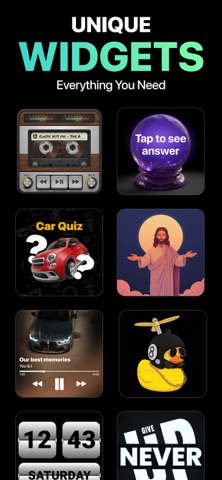
App Description
CarTheme brings a new level of personalization to your driving experience.
Create beautiful, functional widgets for Car Play and design a dashboard that feels truly yours.
Whether you want quick access to useful information, a cleaner car interface, or a personalized layout, Carlio gives you the tools to build it effortlessly.
FEATURES
• Custom CarPlay Widgets
Design widgets that match your style and help you stay organized while driving.
• Multiple Layout Styles
Choose from clean, minimal, bold, or aesthetic designs for your dashboard.
• Easy Editing Tools
Adjust colors, backgrounds, spacing, icons, and more with an intuitive editor.
• Live Refresh Support
Widgets update automatically based on system refresh intervals.
• Home Screen Widget Support
Keep your favorite layouts available even outside the car.
• Car-Friendly UI
Large text, simple elements, and layouts optimized for visibility.
SAFE AND SIMPLE
Carlio is built to enhance your experience without distraction.
All widgets follow system guidelines and refresh using iOS-approved methods.
WHY USERS LOVE CARLIO
Easy to set up
Clean and minimal designs
Personal dashboard feel
Great for organization
Smooth with CarPlay
DESIGNED FOR APPLE CARPLAY USERS
Carlio works entirely within CarPlay’s approved interface, creating a consistent, seamless look across your system.
SUBSCRIPTIONS
Carlio offers optional subscription plans that unlock additional customization features, widget styles, and premium designs.
Subscriptions renew automatically unless cancelled at least 24 hours before the end of the current period.
You can manage or cancel your subscription in your Apple ID account settings.
Payment is charged to your Apple ID account at confirmation of purchase.
Privacy Policy: http://vlabor-apps.com/pp-carlio.html
Terms of Use: http://vlabor-apps.com/tou-carlio.html