PixWhat - AI Language Tutor

PixWhat - AI Language Tutor Summary
PixWhat - AI Language Tutor is a free, with in-app purchases iOS app in Education by 航 余. Released in Jan 2026 (7 months ago). It has 13 ratings with a 4.69★ (excellent) average. Based on AppGoblin estimates, it reaches roughly 48 monthly active users and generates around $<10K monthly revenue (100% IAP / 0% ads). Store last updated Aug 8, 2026
PixWhat - AI Language Tutor SDKs Summary
App not yet scanned for SDKs.
4.69★
Ratings: 13
Screenshots




App Description
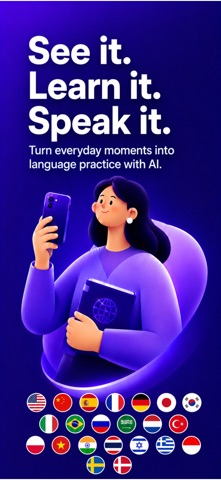
See something but don’t know how to say it in another language?
The coffee on your desk, a street sign, a travel menu, or any moment that catches your eye can become part of your language learning journey.
PixWhat turns the world around you into a language classroom:
Capture → Understand → Speak → Remember
No more endless word lists. Point your camera at something and start learning words, expressions, and conversations from real life.
1,Capture the world around you
Take photos of objects, scenes, menus, packages, or signs. PixWhat helps you discover useful language from everyday moments.
Learn more than vocabulary:
• Context-based phrases
• Real-life expressions
• Practical sentences
Every discovery includes:
• Translation
• Definition
• Pronunciation
• Example sentences
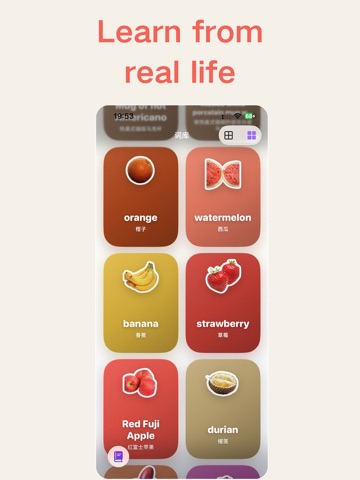
Your photos become personalized learning stickers saved in “My Discoveries”.
2,Build your personal language journal
All discoveries are automatically organized.
You can:
• Review your learning timeline
• Organize content by category
• Search past discoveries
• Tap stickers to hear pronunciation
• Review meanings and examples
• Save important expressions
Your learning grows with your daily life.
3,Turn discoveries into conversations
Learning a word is only the beginning. Using it is how you truly remember it.
Choose any sticker and start an AI speaking practice session.
PixWhat creates conversations based on your photo and helps you practice naturally.
When you don’t know what to say:
• Get translation help
• See natural expressions
• Receive speaking suggestions
• Build conversations step by step
PixWhat recommends topics based on your goals and language level.
4,Practice speaking with AI
Your AI speaking coach helps you:
• Speak through voice conversations
• Convert speech into text instantly
• Check translations anytime
• Improve expressions
• Learn new words during conversations
After each session, review:
• Conversation time
• Number of exchanges
• New expressions learned
Every conversation helps you speak with confidence.
5,Meet your AI speaking partners
Choose from 5 unique AI personalities.
Some are supportive listeners. Some are creative and fun. Some feel like a friend you can practice with anytime.
Customize font size and speaking speed.
They don’t just correct mistakes