Doc Reader - PDF Reader
ASO Keyword Dashboard
Tracking 0 keywords for Doc Reader - PDF Reader in Apple App Store
Developer: Shota Sukhiashvili Category: tools
Doc Reader - PDF Reader doesn't have tracked keywords yet.
No keywords tracked yet
We could not generate keyword insights for this app. Add more metadata or refresh the crawl to populate ASO keywords.
App Description
Doc Reader is the simplest and fastest way to open and view documents on your iPhone or iPad. Whether it's a PDF, Word document, PowerPoint presentation, or Excel spreadsheet — this app displays them all with ease.
Say goodbye to slow loading files and complicated interfaces. Doc Reader is lightweight, secure, and easy-to-use. Quickly access files from your device, email, or cloud storage and view them instantly.
Key Features:
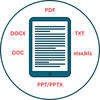
All-in-One Document Viewer: Open PDF, DOC/DOCX, PPT/PPTX, XLS/XLSX, RTF, and text files in one app.
Quick Look Integration: View files immediately in full-screen mode.
Daily Free Access: Use the app for free with a limited number of views per day.
Pro Upgrade Available: Unlock unlimited lifetime access with a single upgrade.
Privacy First: Your files stay on your device and are never uploaded or shared.
Optimized Interface: Clean layout with dark mode support for comfortable reading.
Works Anywhere: Supports files from email attachments, cloud services, or other apps.
Ideal for students, professionals, or anyone who regularly needs to view documents on the go.
Say goodbye to slow loading files and complicated interfaces. Doc Reader is lightweight, secure, and easy-to-use. Quickly access files from your device, email, or cloud storage and view them instantly.
Key Features:
All-in-One Document Viewer: Open PDF, DOC/DOCX, PPT/PPTX, XLS/XLSX, RTF, and text files in one app.
Quick Look Integration: View files immediately in full-screen mode.
Daily Free Access: Use the app for free with a limited number of views per day.
Pro Upgrade Available: Unlock unlimited lifetime access with a single upgrade.
Privacy First: Your files stay on your device and are never uploaded or shared.
Optimized Interface: Clean layout with dark mode support for comfortable reading.
Works Anywhere: Supports files from email attachments, cloud services, or other apps.
Ideal for students, professionals, or anyone who regularly needs to view documents on the go.