Reverse Singing Challenge App

Reverse Singing Challenge App Summary
Reverse Singing Challenge App is a free, ad-supported, with in-app purchases iOS app in Entertainment by Victor Bujanivskiy. Released in Dec 2025 (9 months ago). It has 42 ratings with a 4.26★ (good) average. Based on AppGoblin estimates, it reaches roughly 277 monthly active users and generates around $<10K monthly revenue (64% IAP / 36% ads). Store last updated Feb 12, 2026
Recent activity: 1.00 new ratings this week View trends →
Reverse Singing Challenge App SDKs Summary
App not yet scanned for SDKs.
4.26★
Ratings: 42
Screenshots



App Description
Join the Reverse Audio Trend!
Record your voice, reverse it, and enjoy unexpected and hilarious results with your friends or family!
How it works:
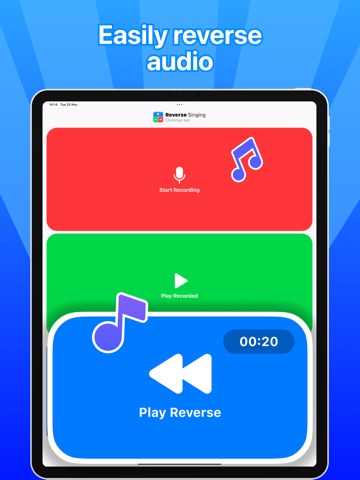
Record: Press the button and record your voice - a song, a quote, or any phrase.
Reverse: Listen to your recording played backwards.
Repeat: Try to reproduce what you heard as accurately as possible.
Result: Play your new recording… and get ready to be surprised!
- SUBSCRIPTION INFO -
Offers auto-renewal subscription options:
- 1 week ( auto-renewal )
- 1 month ( auto-renewal )
- 1 year ( auto-renewal )
*Payment will be charged to iTunes Account at confirmation of purchase.
*Subscription automatically renews unless auto-renew is turned off at least 24-hours before the end of the current period.
*Account will be charged for renewal within 24-hours prior to the end of the current period, and identify the cost of the renewal.
*Any unused portion of a free trial period, if offered, will be forfeited when the user purchases a subscription to that publication, where applicable.
*Subscriptions may be managed by the user and auto-renewal may be turned off by going to the user's Account Settings after purchase.
Terms of Use:
https://docs.google.com/document/d/16B6Psuzsp0DG6iLMfJH-v5-IqYqveIM34_gEhzWjPXk/
Privacy Policy:
https://docs.google.com/document/d/1UrRw4hFIAd-BC-FrKAfTOEWE6LVKsqG6IWm21V-LNNM/
Thanks for reading