Pi Tap: Auto Clicker

Pi Tap: Auto Clicker Summary
Pi Tap: Auto Clicker is a free, with in-app purchases iOS app in Productivity by Dang Huong. Released in Dec 2025 (11 months ago). It has 42 ratings with a 1.67★ (poor) average. Based on AppGoblin estimates, it reaches roughly 238 monthly active users and generates around $<10K monthly revenue (100% IAP / 0% ads). Store last updated Jun 21, 2026
Recent activity: 1.00 new ratings this week View trends →
SDK intelligence: AppGoblin detected 3 ad networks(e.g. Google), 3 development tools, 1 analytics: product,and 1 analytics: attribution integrated into Pi Tap: Auto Clicker. View full SDK list →
Pi Tap: Auto Clicker SDKs Summary
Pi Tap: Auto Clicker was last scanned for SDKs on 2026-07-09. Below is the overview of third-party companies detected in the app. The full list of SDKs, permissions and unknowns is available here.
 Google
 Facebook
 AdMob
AdMob Flutter
 nanopb
 Firebase
 Adjust
1.67★
Ratings: 42
Screenshots



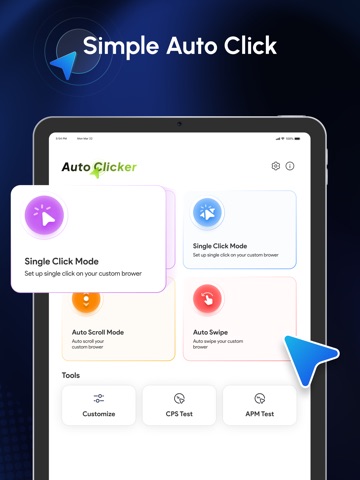

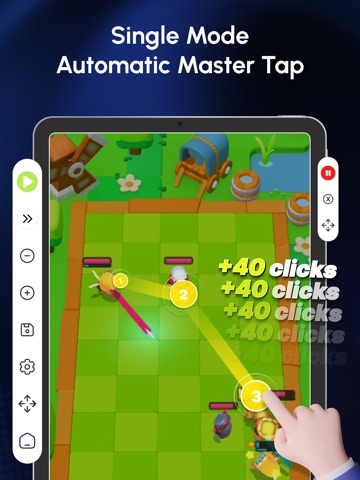
App Description
Pi Tap Auto Clicker helps you automate simple tap actions inside the in app browser. It allows you to repeat the same tap tasks on web pages without manual effort. You can set tap positions, adjust timing, and let the app repeat the actions automatically.
This app is useful for repetitive web tasks, form testing, basic web interactions, and any action that requires repeated tapping inside the app browser.
Main features
Auto tap inside the built in browser
Set custom tap intervals
Repeat actions with loop mode
Add multiple tap points
Save and load tap sequences
Pause or stop at any time
How to use
Open Pi Tap and access the in app browser.
Go to the website you want to automate.
Add tap points and set the delay.
Start auto tap and let the app perform the repeated actions.
Stop or pause when needed.
Important notes
The auto click function works only inside this app. It cannot control other apps or system interfaces.
Pi Tap is designed for simple web productivity tasks and tap repetition inside the in app browser.
Your tap configuration stays on your device unless you choose to back it up through the app settings.
If you need help or have suggestions, contact us using the support email in the app.
Privacy & Policy: https://zenitystudio.cloud/policy.html
Terms of services: https://zenitystudio.cloud/terms.html