Unzipped zip/rar/tar/gz/7z/xz

Unzipped zip/rar/tar/gz/7z/xz Summary
Unzipped zip/rar/tar/gz/7z/xz is a mobile iOS app in Tools by jinhe zou. Released in Dec 2025 (10 months ago). Store last updated Mar 7, 2026
Unzipped zip/rar/tar/gz/7z/xz SDKs Summary
App not yet scanned for SDKs.
0★
Ratings: 0
Screenshots


App Description
Unzipped: Professional Archive Manager
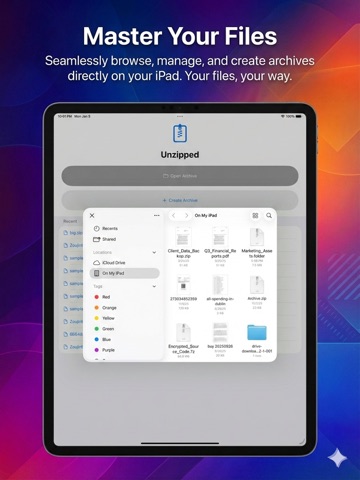
Transform how you handle archives. Master your files with seamless extraction. Browse, create, and modify ZIP, RAR, 7Z, TAR, GZ, Bzip2, XZ, Brotli, and more—directly on your iPhone, iPad, or Mac. No complex tools required.
Unzipped is your ultimate mobile companion, bringing professional-grade management to every user. Whether you're a developer reviewing code on the go or a designer opening assets from an email, Unzipped streamlines your workflow with an elegant, native experience.
=== KEY FEATURES ===
- Universal Format Support: Handle ZIP, 7Z, and RAR archives with ease. New in 2.0: Support for Multi-Volume archives (like .z01, .part1.rar, .tar.001). Open, modify, or create any archive format your workflow demands.
- Smart Archive Management:
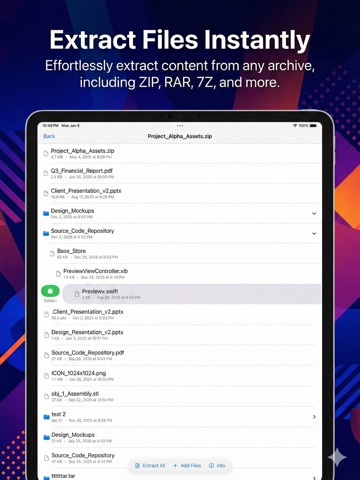
- Browse contents in a beautiful, touch-optimized list.
- View file sizes, types, and folder hierarchies instantly with our new asynchronous loading engine.
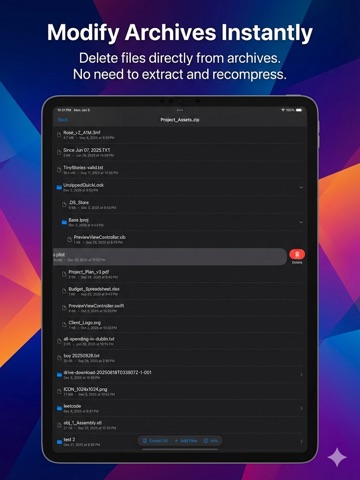
- Add or remove files without re-compressing entire archives.
- Secure Creation & Splitting: Select files from your photo library or storage, choose your format, add a password for encryption, and optionally split large archives into multiple volumes!
- Precise Extraction: Extract entire archives or just the specific files you need. Choose your destination folder and track progress with a visual status bar.
- Native Design: Built with SwiftUI for fluid, blazing-fast performance. Supports Dark Mode and is optimized for the latest iPhone, iPad, and Mac displays.
- Multi-Language Support: Available in 12 languages including English, Spanish, French, German, Chinese (Simplified & Traditional), Japanese, Korean, Italian, Portuguese, Russian, and Dutch.
=== PERFECT FOR ===
- Remote Professionals: Manage work attachments and encrypted files on the go.
- Developers: Inspect source code archives and multi-volume assets from anywhere.
- Designers: Preview and extract asset packages without a desktop.
- Students: Organize project files and submission packages securely.
=== PRIVACY FIRST ===
100% Local Processing. All archive operations happen entirely on your device. Your files never leave your device, and no internet connection is required for extraction or creation. Your data remains your data.
=== WHY CHOOSE UNZIPPED? ===
Stop struggling with limited mobile file support. Unzipped brings desktop-class archive management