PicolorLab – Photo Colors

PicolorLab – Photo Colors Summary
PicolorLab – Photo Colors is a free, with in-app purchases iOS app in Art And Design by 才熹 郑. Released in Jan 2026 (8 months ago). It has 2.00 ratings with a 5.00★ (excellent) average. Based on AppGoblin estimates, it reaches roughly 19 monthly active users and generates around $<10K monthly revenue (100% IAP / 0% ads). Store last updated Sep 6, 2026
PicolorLab – Photo Colors SDKs Summary
App not yet scanned for SDKs.
5★
Ratings: 2.00
Screenshots
App Description
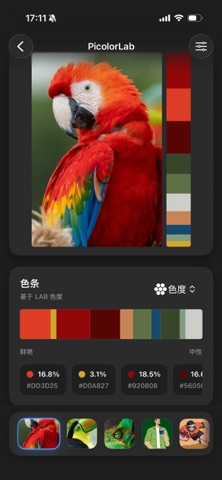
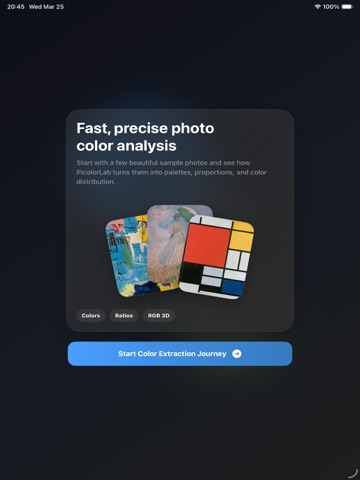
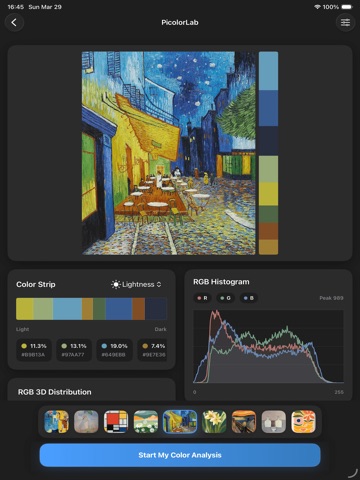
PicolorLab is a professional image color analysis tool designed to accurately extract dominant colors and their proportions from images. It is ideal for designers, developers, photographers, and anyone sensitive to color.
Powered by the k-means clustering algorithm, PicolorLab intelligently analyzes image pixels to stably and accurately extract core colors within a specified range, presenting results in a clear and visual way.
# Key Features
## Dominant Color Extraction
* Precise extraction of main colors using k-means clustering
* Customizable number of colors for flexible analysis
* Stable and reliable color output
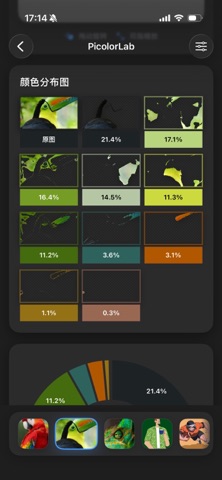
## Color Proportion & Distribution Analysis
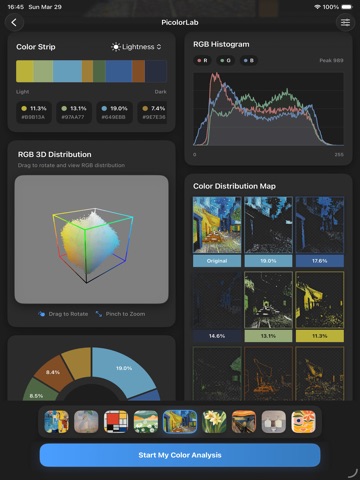
* Clear display of each color’s proportion
* Intuitive understanding of overall color structure
* Ideal for color decision-making and palette analysis
## Pie Chart Visualization
* Visualize color proportions with pie charts
* Quickly identify primary and secondary colors
* Useful for design presentations and references
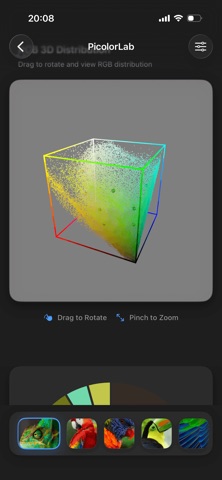
## 3D RGB Color Distribution
* Display all image colors in 3D RGB space
* Observe color concentration and dispersion
* Gain deeper insight into color composition
# Multiple Color Value Formats
* Support for HEX / RGB / HSB / LAB
* Suitable for design, development, and color research
* Easy color reuse and accurate reproduction
# Quality Adjustment
* Adjustable analysis quality and precision
* Balance performance and accuracy
* Adapt to different devices and use cases
# PicolorLab Membership Auto-Renewal Information
Subscription Plans:
- Weekly Plan: $7.99/week
- Monthly Plan: $14.99/month
• As a PicolorLab member, you can unlock all premium features, remove ads, and enjoy future feature updates for free.
• Payment will be charged to your Apple ID account upon confirmation of purchase, and the subscription will automatically renew 24 hours before the end of the current period unless canceled beforehand.
• You can manage or cancel your subscription at any time in Settings > Apple ID > Subscriptions.
• If a free trial is offered, it will begin upon first subscription. If not canceled during the trial period, the subscription will begin automatically when the trial ends. Unused trial time will be forfeited once you subscribe.
Terms of Use: https://jixuqianxing.super.site/jixuqianxing/terms-of-use
Privacy Policy: https://jixuqianxing.s