Seamless Learning Access

Seamless Learning Access Summary
Seamless Learning Access is a free iOS app in Education by JAMF Software. Released in May 2026 (3 months ago). Store last updated May 29, 2026
Seamless Learning Access SDKs Summary
App not yet scanned for SDKs.
0★
Ratings: 0
Screenshots



App Description
Important: this app requires a Jamf managed deployment. Seamless Learning Access is configured and deployed by your school's IT team through Jamf. It is not intended for individual download and will not function on a personal device or without an active Jamf managed configuration.
Seamless Learning Access is part of Jamf's Apple Education platform.
It keeps students signed in to their school's apps and websites throughout the day, so they spend less time typing passwords and more time learning.
Once a student signs in with their school account on a managed iPad, Seamless Learning Access handles authentication in the background for the learning apps and sites their district has set up. There's no extra portal to launch and no separate password to remember.
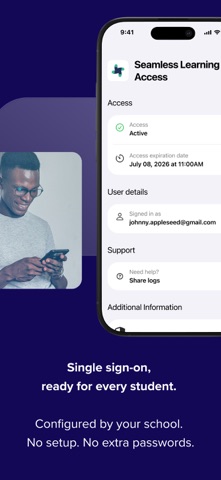
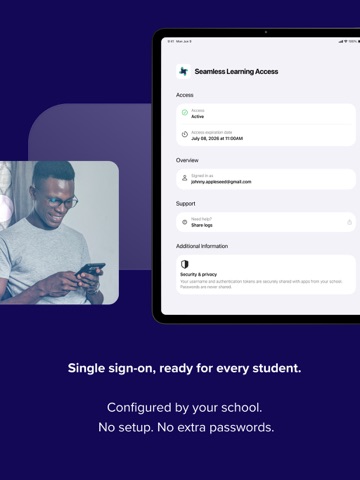
Check your sign-in at a glance by opening the app any time, to see:
The account currently signed in
Whether your sign-in is active and ready for the day's lessons
A simple visual indicator to confirm everything is working before a test, assignment, or class activity
If something isn't right, for example, if your session has expired, the app makes it clear, so you know to sign in again rather than discovering the problem mid-lesson.
How it works
Seamless Learning Access uses Apple's Single Sign-On Extension framework, working alongside RapidIdentity and Jamf to connect each iPad to your district's identity system. Authentication tokens are issued and refreshed automatically for the apps your school has approved, with no manual configuration required from students or teachers.
For school IT teams
Seamless Learning Access is available only to Jamf customers. Designed for K-12 iPad deployments managed through Jamf. Built primarily for Shared iPad, where multiple students use the same device, each signing in with their own Managed Apple ID while also fully supporting 1:1 assigned iPads. Configuration is handled centrally by your district's IT team, including identity source, app coverage, and session policies. Students and teachers do not install or configure this app directly, it is deployed and maintained as part of the programme.
Support
For help with sign-in issues, contact your school's IT team or technology coordinator. IT administrators can find deployment documentation and support resources on the Jamf customer portal.