Printer: Smart Print App

Printer: Smart Print App Summary
Printer: Smart Print App is a free, ad-supported, with in-app purchases iOS app in Business by BEGAMOB GLOBAL LIMITED. Released in Dec 2025 (9 months ago). It has 403 ratings with a 4.40★ (good) average. Based on AppGoblin estimates, it reaches roughly 2.5K monthly active users and generates around $<10K monthly revenue (32% IAP / 68% ads). Store last updated Apr 7, 2026
Recent activity: 2.00 new ratings this week View trends →
SDK intelligence: AppGoblin detected 7 development tools(e.g. Google), 4 ad networks, 1 analytics: product,and 1 analytics: attribution integrated into Printer: Smart Print App. View full SDK list →
Printer: Smart Print App SDKs Summary
Printer: Smart Print App was last scanned for SDKs on 2026-07-08. Below is the overview of third-party companies detected in the app. The full list of SDKs, permissions and unknowns is available here.
 Google
 AppLovin
 AdMob
AdMob Snap
Snap Airbnb Engineering
 nanopb
 Alamofire
 Firebase
 Adjust
4.4★
Ratings: 403
Screenshots
App Description
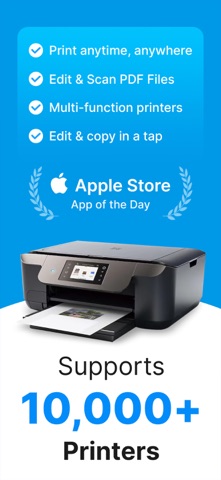
Printer App: Smart Print, Scan helps you print, scan, edit, and organize documents and photos directly from your phone, whenever you need. This all-in-one printer and scanner app is built to simplify everyday tasks.
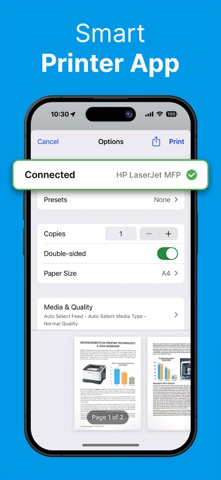
The app is compatible with most AirPrint-enabled printers, making wireless printing fast and effortless.
Whether you’re handling work files, study materials, or personal documents, you can manage everything from your iPhone or iPad without switching between multiple apps or devices.
Our smart printer & scanner app works seamlessly with most printer models, including HP, Brother, Canon, Dell, Epson, Lanier, Xerox, Aurora, Lexmark, Panasonic, Ricoh, Toshiba, and many more.
PRINT ANYTHING
Smart Printer gives you the freedom to print almost any type of content with ease. Documents, photos, emails, plain text, or web pages can be sent to your printer in just a few taps. The app focuses on smooth performance and reliable output, so printing feels simple instead of technical.
SCAN DOCUMENTS & PHOTOS
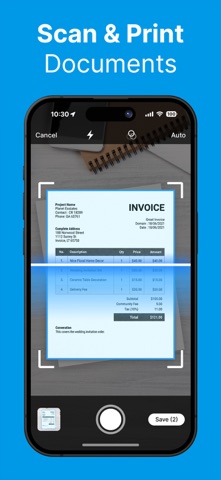
With the built-in smart scanner, your phone becomes a portable scanning tool. Use your camera to scan documents and photos anytime, anywhere. Capture receipts, contracts, handwritten notes, or images, then adjust brightness, crop edges, and enhance clarity before saving or printing. Your scans stay clean, readable, and professional.
PRINT PHOTOS
Turn digital memories into physical prints effortlessly. Select photos from your library and print them instantly. Smart Printer supports batch photo printing, making it easy to create albums, share moments with family, or print images for daily use.
PRINT DOCUMENTS
Access documents stored on your device or in cloud storage and print them without extra steps. The app supports common formats such as PDF, PNG, and JPEG, so you can print reports, forms, invoices, or study files quickly and confidently.
PRINT FROM EMAIL, TEXT & WEBSITE
Smart Printer makes it easy to print content from outside the app. Print email attachments, plain text, or web pages by sharing them directly to Smart Printer. No copying, no exporting — just send and print.
FILES MANAGEMENT
Keep everything organized in one place. Smart Printer includes file management tools that let you store, rename, sort, and review your scanned and printed files. This helps you stay organized and find important documents whenever you need them.
LOGIN & SYN