Core PDF AI: Tables to Excel

Core PDF AI: Tables to Excel Summary
Core PDF AI: Tables to Excel is a with in-app purchases iOS app in Productivity by Happy Moose Apps. Released in Dec 2025 (8 months ago). Store last updated Dec 19, 2025
Core PDF AI: Tables to Excel SDKs Summary
App not yet scanned for SDKs.
0★
Ratings: 0
Screenshots



App Description
Core PDF AI – Precision PDF to Excel Extraction
Tired of “AI” converters that hallucinate columns, split headers, and turn your financial reports into a cleanup nightmare?
Core PDF AI doesn’t guess — it lets you guide the extraction in seconds, then uses on-device intelligence to deliver perfect Excel tables every time.
The Human-in-the-Loop Workflow That Actually Works
Instant start — Open a PDF, scan a document, pick a photo, or paste from clipboard. No folders, no saving required.
Apple intelligence finds the table — On supported devices, the table is auto-detected and highlighted in one tap.
You verify or adjust — Tap to confirm columns and rows (or let the app suggest them). Takes seconds, not minutes.
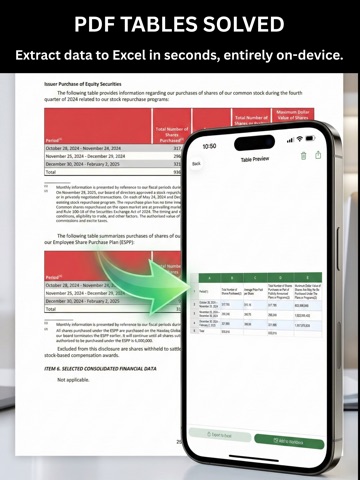
Perfect data extraction — Numbers, text, multi-line headers, and merged cells are captured exactly.
Ready-to-use Excel — Real .xlsx files with proper formatting, sheet names, and traceable source links.
Why Core PDF AI Beats Fully Automatic Tools
Precision you control — No more misaligned columns or broken hierarchies.
Handles anything — Clean PDFs, messy scans, screenshots, even photos of printed reports.
True Excel output — Formatted numbers, currencies, percentages, and multi-row headers preserved.
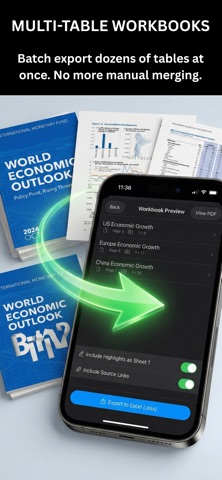
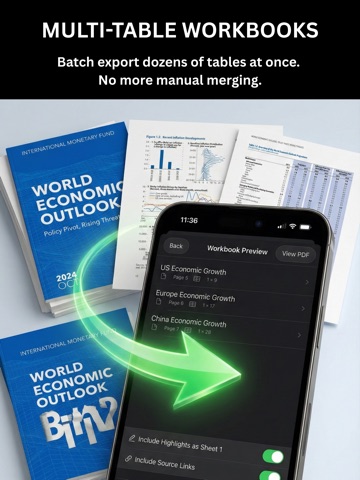
Multi-table workbooks — Extract dozens of tables from a single document into organized sheets.
Financial-grade privacy — 100% on-device processing. Nothing ever leaves your iPhone or iPad.
No subscriptions. Pay once, own forever.
Stop wasting time fixing bad extractions. Get the control and accuracy professionals demand.
Download Core PDF AI today — the only PDF-to-Excel tool that respects your intelligence.