CoachLMS Admin

CoachLMS Admin Summary
CoachLMS Admin is a free iOS app in Education by Shanti Informatics. Released in Feb 2026 (8 months ago). Store last updated Aug 26, 2026
CoachLMS Admin SDKs Summary
App not yet scanned for SDKs.
0★
Ratings: 0
Screenshots
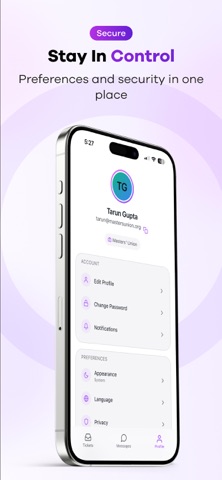


App Description
CoachLMS Admin Mobile App - Your Complete Administrative Solution
Transform how you manage your educational institution with the CoachLMS Admin Mobile App. Built with a premium design featuring glassmorphism aesthetics, this powerful mobile solution puts comprehensive administrative tools right at your fingertips.
COMPREHENSIVE TICKET MANAGEMENT
Handle support requests efficiently with our advanced ticket management system:
- View all tickets in an organized, paginated list with real-time updates
- Filter by status (Open, In Progress, Resolved, Pending, Closed), type, assignee, or date range
- Search across ticket titles, descriptions, and content with smart debounced search
- Assign tickets to team members or yourself with intuitive user selection
- Update ticket status with visual color-coded status indicators
- Track complete ticket history with chronological activity timeline
- View and participate in ticket conversations with threaded messages
- Support for attachments and rich text content
- Quick actions with swipe gestures for assign and close operations
- Unread indicators and badge notifications for immediate attention
FOUR-TAB MESSAGING SYSTEM
Stay connected through our organized four-tab messaging system:
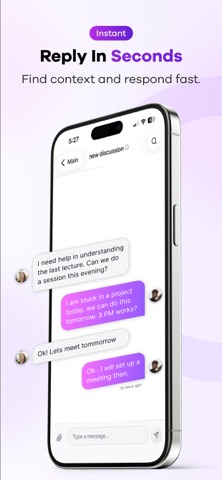
THREADS TAB - Handle course-related questions, doubts, and academic discussions. View all doubt discussion threads organized by course. Filter by cohort, program, term, section, or specific course. Access complete thread conversations with message history and search functionality.
COURSE GROUPS TAB - Manage course-specific group conversations. View messages organized by course, participate in course-specific group discussions, and access complete conversation history for each group with real-time updates.
DIRECT MESSAGES TAB - Private one-on-one conversations. Secure private messaging with individual users, view all your direct message conversations, track unread messages with badge indicators, and access user profiles from chat interface.
ANNOUNCEMENTS TAB - Important institutional communications. View all institutional announcements, identify priority announcements, track read/unread status, and filter by date, priority, or category.
All messaging tabs feature real-time updates, unified search, unread badges, smooth navigation with haptic feedback, pull-to-refresh, infinite scroll, and support for file attachments and user mentions.