Blur Text: Screenshot Editor

Blur Text: Screenshot Editor Summary
Blur Text: Screenshot Editor is a free, with in-app purchases iOS app in Photo And Video by Nikolay Rodionov. Released in Feb 2026 (7 months ago). Store last updated Sep 28, 2026
Blur Text: Screenshot Editor SDKs Summary
App not yet scanned for SDKs.
0★
Ratings: 0
Screenshots




App Description
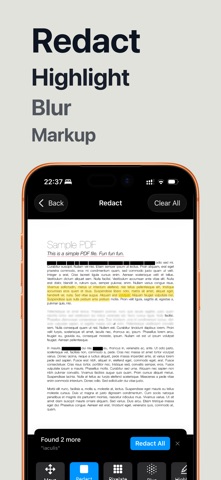
Hide names, phone numbers, addresses and card details in screenshots and PDFs before you share them. Tap a word and it's gone. Everything is processed on your device, and nothing is ever uploaded.
TAP A WORD TO HIDE IT
- Text is detected automatically in every screenshot, photo and PDF
- Tap any word to blur, pixelate or black it out
- Drag across a line to hide several words at once
- No more fiddly finger-painting over small text
BLUR, PIXELATE OR BLACK OUT
- Blur for a soft, clean look
- Pixelate for the classic censored effect
- Solid black bar for complete redaction
- Highlight and underline to point things out
SCREENSHOTS
- Clean up chats, bank statements, receipts and emails before posting
- Hide usernames, order numbers and email addresses
- Blur faces in photos with one tap
PDFS & SCANNED DOCUMENTS
- Redact multi-page PDFs
- Scan paper documents with your camera and redact them right away
- Export at full quality
PRIVATE BY DESIGN
All processing happens on your device. Your screenshots and documents never leave your phone.
GREAT FOR
- Sharing chat screenshots without exposing names or numbers
- Posting receipts, tickets and orders without personal details
- Sending documents with account numbers and addresses removed
- Bug reports and support tickets that show only what's needed
- Journalists, HR and anyone handling confidential information
Terms of Use (EULA): https://www.apple.com/legal/internet-services/itunes/dev/stdeula/