Twik - AI Voice keyboard

Twik - AI Voice keyboard Summary
Twik - AI Voice keyboard is a free, with in-app purchases iOS app in Productivity by VIKASH KUMAR. Released in Jan 2026 (8 months ago). It has 24 ratings with a 3.87★ (average) average. Based on AppGoblin estimates, it reaches roughly 342 monthly active users and generates around $<10K monthly revenue (100% IAP / 0% ads). Store last updated Sep 17, 2026
Recent activity: 12 new ratings this week View trends →
Twik - AI Voice keyboard SDKs Summary
App not yet scanned for SDKs.
3.87★
Ratings: 24
Screenshots


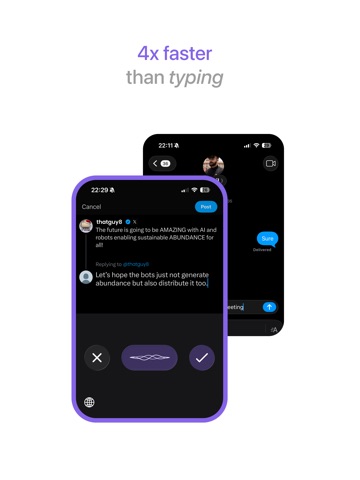

App Description
Speak instead of typing. Twik turns what you say into text that is ready to send.
Tap the mic, talk the way you normally talk, and Twik writes it out
properly. No typos to fix. No thought lost halfway through a sentence.
HOW IT WORKS
Open any app - WhatsApp, Gmail, Instagram, Notes, anything
Switch to the Twik keyboard
Tap the mic and speak naturally
Your words appear as clean, finished text
Three taps. No typing.
WHAT MAKES TWIK DIFFERENT
Works everywhere you type
Twik is available in every app on your phone, so there is nothing to copy
and paste between.
It writes what you meant
Twik does more than transcribe. It takes out the filler words, fixes the
sentence, adds the punctuation, and matches the tone of wherever you are
writing. A message to a friend reads casual. An email reads professional.
Handles real speech
The "um", the "uh", the sentence you started over. Twik removes those on
its own, so what you speak roughly comes out clean.
Speak more than one language
Start in one language and finish in another. Twik follows along instead of
forcing you to pick one and stay in it.
WHO USES TWIK
Students writing notes and assignments
Professionals answering emails and messages
Business owners handling customer messages all day
Creators writing captions and scripts
Anyone who finds phone typing slow or frustrating
Anyone typing in a language they speak better than they spell
TIPS
Speak at your normal pace — there is no need to slow down
Switch languages mid sentence whenever you want
Your brain was never the slow part.
PRIVACY
Our Privacy Policy explains exactly how your voice data is handled and
what we do and do not store.
Terms of Use: https://www.twik.app/terms
Privacy Policy: https://www.twik.app/privacy