Sketchbook® Premium

Sketchbook® Premium Summary
Sketchbook® Premium is a mobile iOS app in Art And Design by Sketchbook, Inc. Released in Jan 2026 (8 months ago). Store last updated Jun 1, 2026
Sketchbook® Premium SDKs Summary
App not yet scanned for SDKs.
0★
Ratings: 0
Screenshots
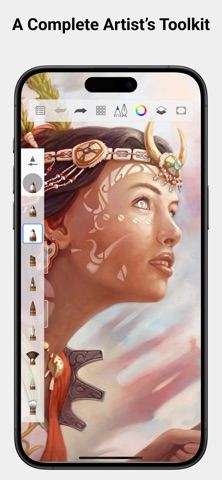


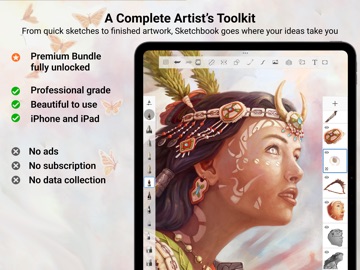


App Description
This version of Sketchbook has the Premium Bundle already unlocked, for companies or schools that use Apple Business Manager or Apple School Manager and want the full features without an in-app purchase.
Sketchbook is an award-winning sketching, painting, and drawing app for anyone who loves to draw. Artists and illustrators love Sketchbook for its professional-grade feature set and highly customizable tools. Everyone loves Sketchbook for its elegant interface and natural drawing experience, free of distractions so you can focus on capturing and expressing your ideas.
• A full complement of brush types: pencils markers, airbrushes, smear and more that look and feel just like their physical counterparts
• Brushes are highly customizable so you can create just the look you want
• Import brushes created by other artists, and share your custom brushes
• Guides, rulers and stroke tools support precision when you need it
• Layers with a full complement of blend modes deliver the flexibility to build up and explore drawings and color
• Sketchbook opens and creates layered PSD and TIFF files so you can use it side by side with your other desktop creative and productivity applications
• Create traditional-style hand-drawn 2D animations with Flipbook
• Purpose-built for sketching, the interface is clean and unobtrusive so you can focus on drawing
• Customize the marking-menus in the lagoon-UI to access your favorite tools or colors with a flick of the wrist
• Customize your hotkeys to make them the same across your creative tools
Premium Bundle features are included in this purchase:
• Import and export brushes
• Create your own custom brushes
• Resize your canvas or image
• Set canvas size in inches or centimeters
• Set canvas resolution in px/inch or px/cm
• Layer grouping
• Clipping masks
• Layer masking Blend Modes
• Additional layer adjustments including Blur and Sharpen
• Draw Outline: apply a stroke to a selection
• Lasso Fill
• Export to PDF
• Additional color harmonies
• Additional custom gradients
• Select color from reference images
• Extract color palettes from images
• Import and export color palettes
plus more to come!